
Screenshots Export (Blog)
Beyond the Pixels: Why Screenshots Matter in Survey Testing
Screenshots aren't just pretty pictures—they're your QA team's best friend. They're documentation, communication tools, and proof that your survey actually works. In SurveyTester, the screenshot export feature transforms raw images into actionable evidence of how your survey performs across devices, browsers, and test scenarios.
What Can Screenshots Really Do for You?
If you're testing surveys, screenshots help you tackle the stuff that matters:
- Spot design hiccups – Confirm your responsive layout looks good on phones, tablets, and desktops
- Debug faster – Capture what the page looks like when it loads and when it closes to track down issues
- Speak the client's language – Visual proof is way more convincing than "it should work fine"
- Stay compliant – Keep solid records for audits and quality assurance requirements
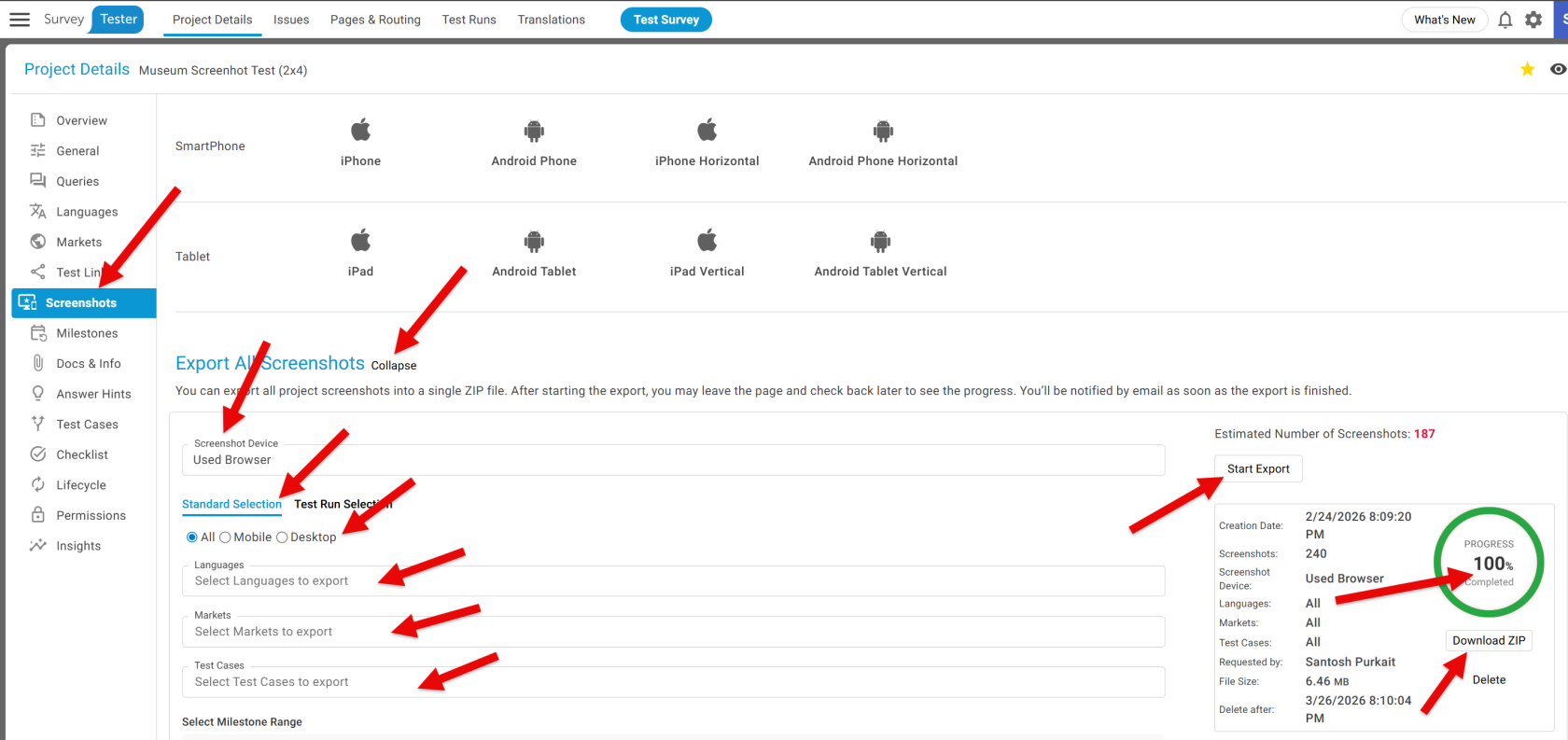
Exporting screenshots in SurveyTester is designed to be simple and intuitive. From your project dashboard, you just open the Screenshots section and choose the option to export all screenshots. You can apply filters to decide which screenshots you want included, then start the export with a single click. The system shows you the progress as it works, and once everything is ready, a Download Zip button appears. Clicking that gives you a neatly packaged file containing all your screenshots, ready to view or share.
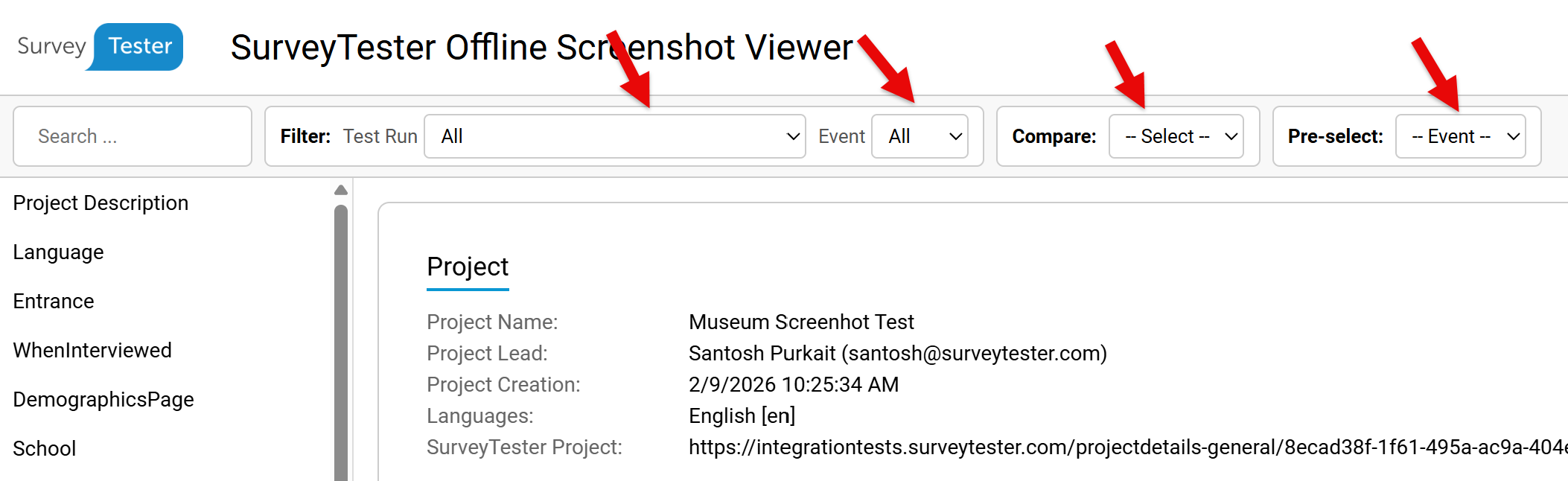
SurveyTester makes it easy to review and analyze screenshots without having to sort through individual image files. You can filter screenshots to focus on a specific test run, and each run provides two types of captures: one taken when the page first loads (Entry) and another when the page closes (Exit). Beyond that, SurveyTester lets you compare screenshots either by test runs or by specific events, so you can quickly spot differences and confirm that your survey is working the way it should.
The Bottom LIne
For teams evaluating SurveyTester, screenshot export is a practical feature that enhances transparency and collaboration. For current users, it’s a dependable way to document survey performance and streamline QA workflows. Whether you’re troubleshooting, validating responsive design, or presenting findings, SurveyTester’s screenshot tools make the process efficient and professional.