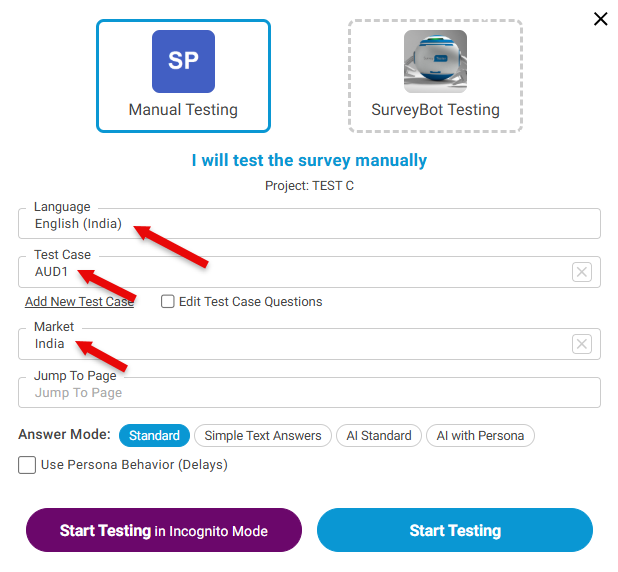
Create Test Case with additional Parameters
If you have more than one parameter (e.g., device type, channel, custom routing values) to pass into the URL, you can add them manually by creating a Test Case.
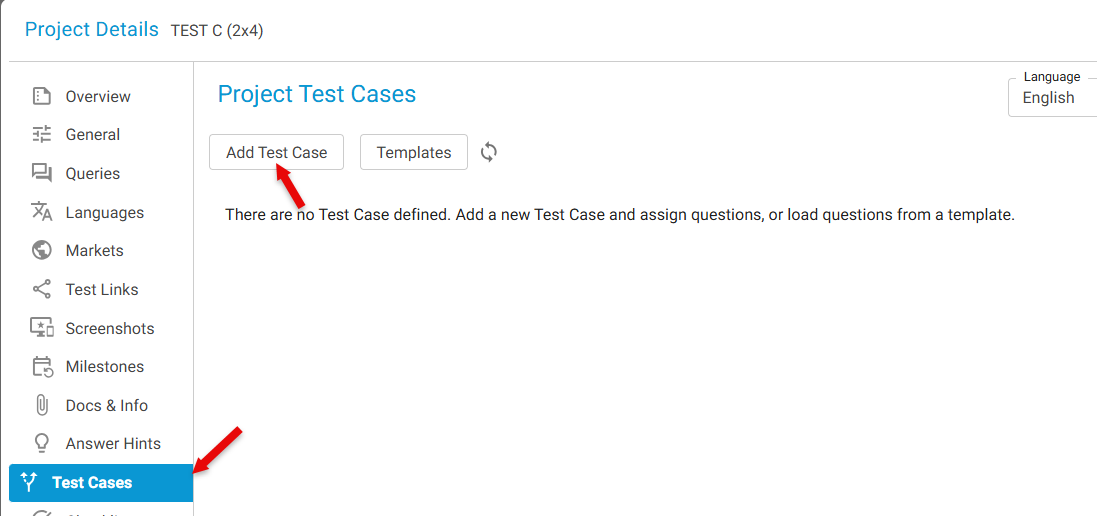
Step 1: Open Test Cases
- In Project Details, select Test Case from the left panel
- Click Add New Test Case
Step 2: Provide Test Case Details
- Enter the Name of the test case
- Provide the parameter value
- Click Add
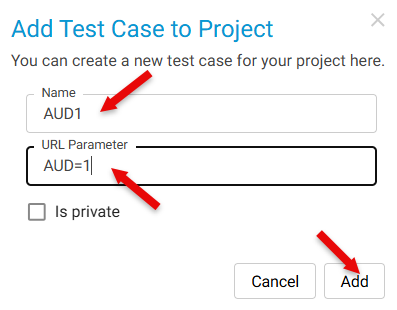
Repeat as needed for all unique values.
All created test cases will appear in the Test Case dropdown list.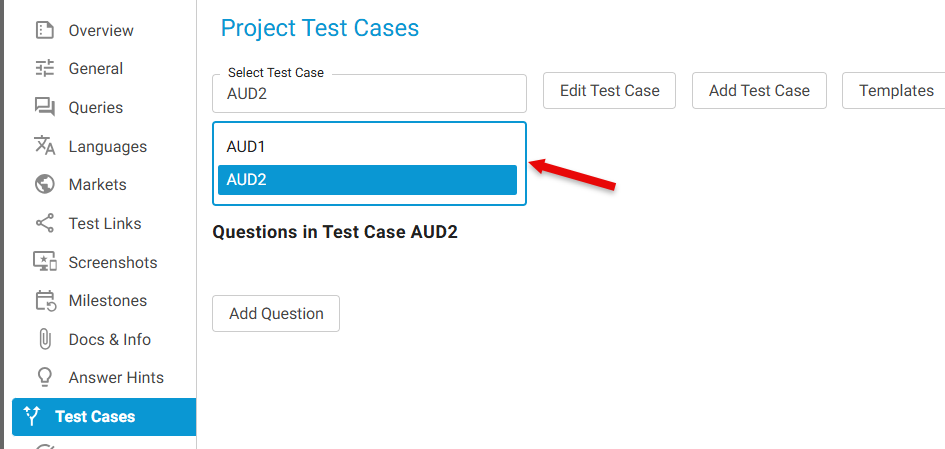
Once Languages, Markets, and Test Cases are created:
- Open the Test Survey Window
- Select:
- The Language
- The Market
- Any Test Case as needed
- Start testing with fully populated unique parameter combinations