Multi‑Country, Multi‑Audience Project Setup
Do we need to create separate links for each market or audience? Currently, our survey programmers set up multimarket or multi‑audience projects using multiple links—for example, 10 markets would mean 10 links, and 5 audiences would mean 5 links. However, when I started a new project yesterday, I noticed that the system only allows one link per project. How should we handle multi‑country or multi‑audience studies within a single project setup?
We can still proceed as a single project, though the setup will be slightly different.
Considering if these are your survey 3 links for same proejct -
- https://..................?COUNTRY=US&Q_Language=EN&AUD=1&insecure_skip_rd=1&insecure_skip_tz_term=1&insecure_skip_redirect_auth=1&insecure_skip_gillnet=1
- https://..................?COUNTRY=UK&Q_Language=EN-GB&AUD=1&insecure_skip_rd=1&insecure_skip_tz_term=1&insecure_skip_redirect_auth=1&insecure_skip_gillnet=1
- https://..................?COUNTRY=AUSTRALIA&Q_Language=EN-AU&AUD=1&insecure_skip_rd=1&insecure_skip_tz_term=1&insecure_skip_redirect_auth=1&insecure_skip_gillnet=1
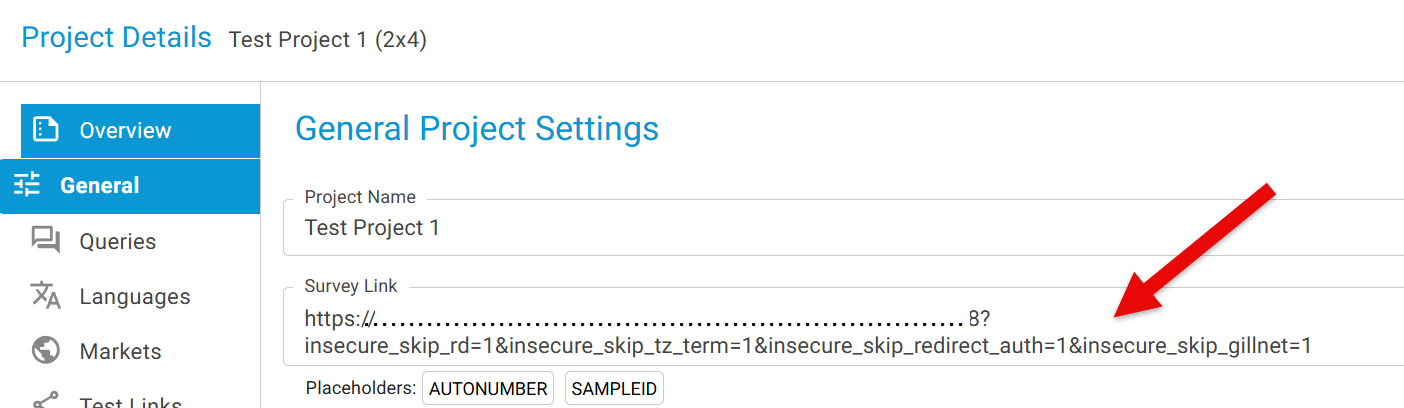
Step 1: Extract the static portion of the link that applies across all markets.
for example: https://......?insecure_skip_rd=1&insecure_skip_tz_term=1&insecure_skip_redirect_auth=1&insecure_skip_gillnet=1
-
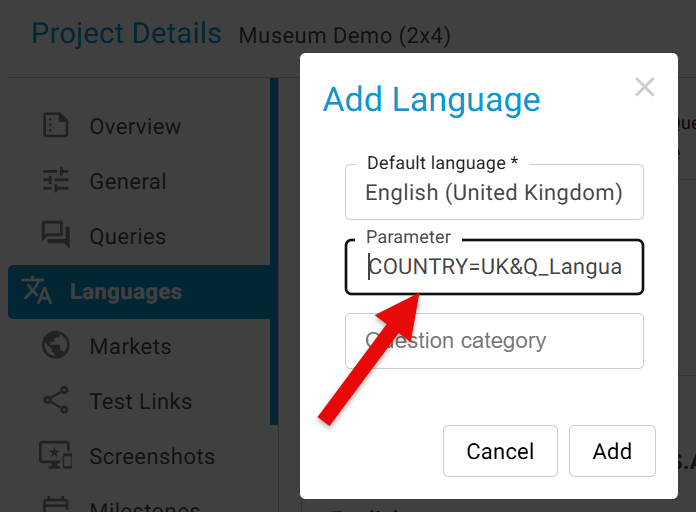
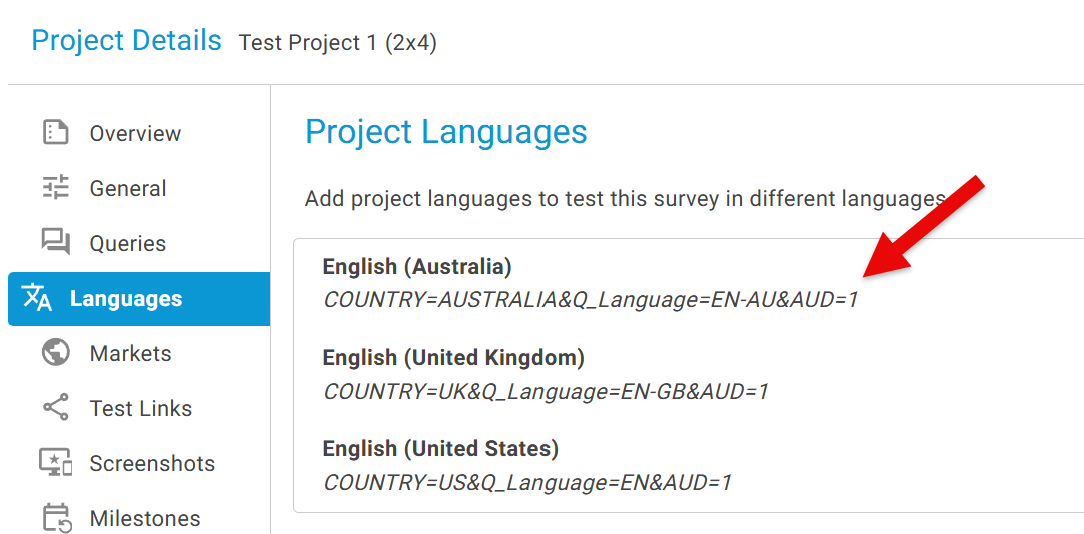
COUNTRY=US&Q_Language=EN&AUD=1
-
COUNTRY=UK&Q_Language=EN-GB&AUD=1
-
COUNTRY=AUSTRALIA&Q_Language=EN-AU&AUD=1