
Auto Answer
How does Survey Tester learn to auto-answer questions?
Survey Tester uses machine learning to optimize its behavior based on the initial manual testing. During these early tests, it analyzes the types of questions and identifies valid input formats—such as whether a field requires numeric or text responses.
During this testing and learning phase, Survey Tester applies its understanding to automatically populate answers using the Auto Answer feature.
How do I enable the Auto Answer feature?
To activate Auto Answer:
This allows Survey Tester to automatically respond to questions based on its learned input patterns.
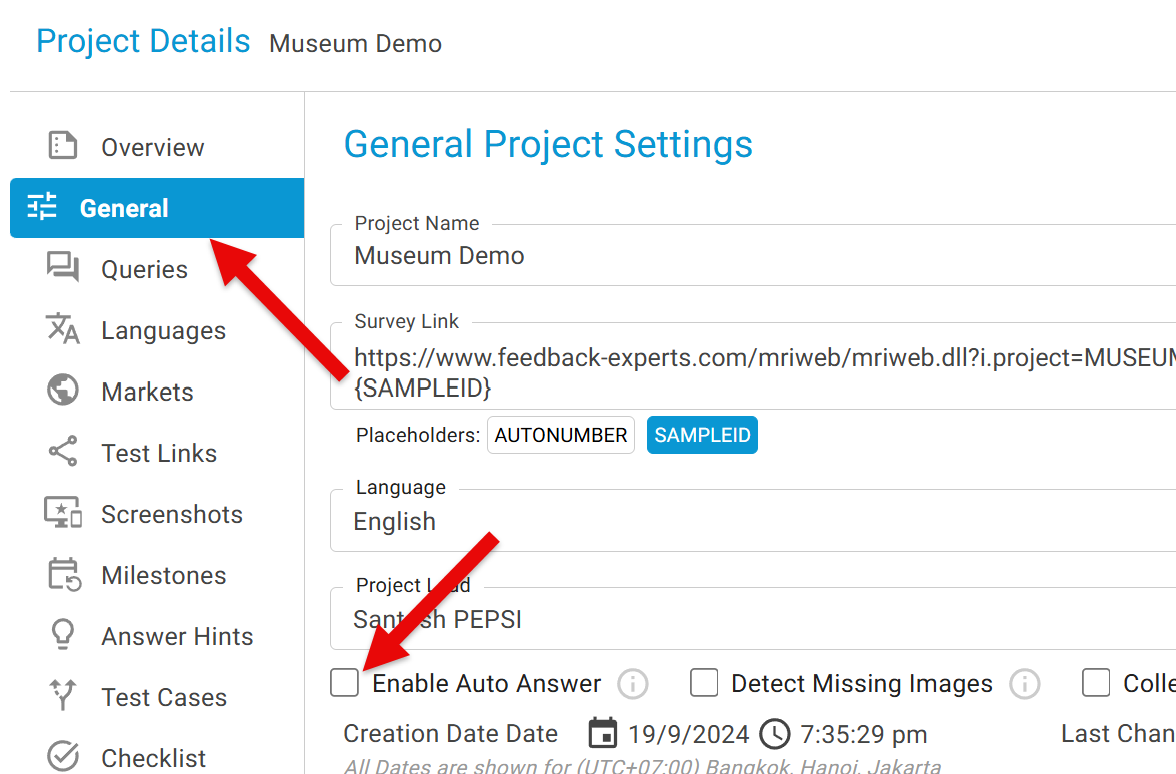
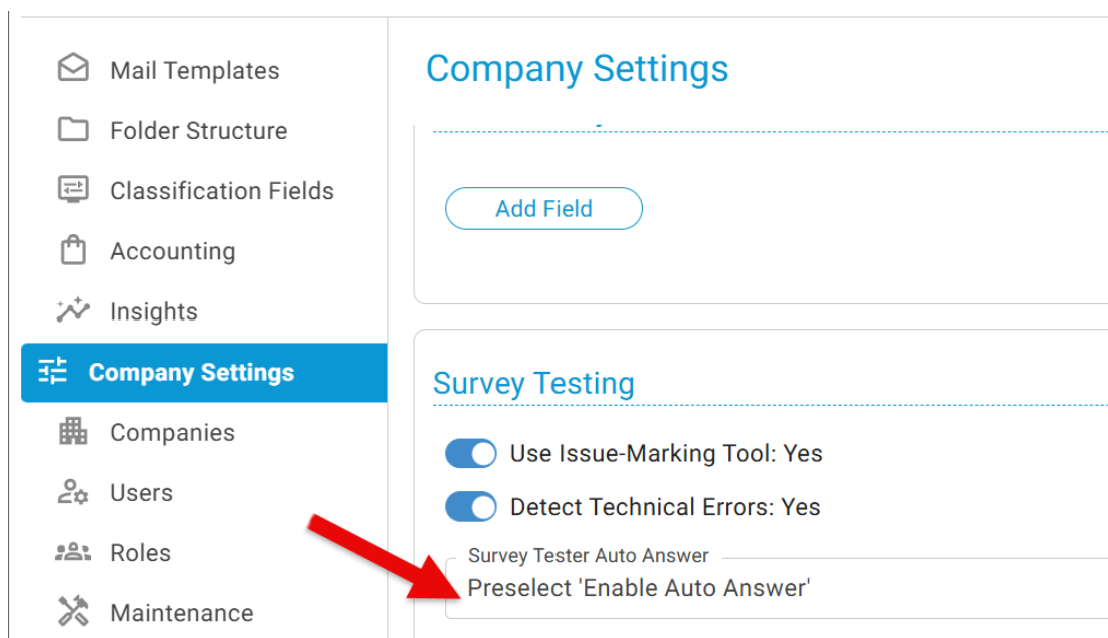
Admin can change the company setting "Preselect 'Enable Auto Answer' " that auto-selects this check box as a default setting.
Now Test Survey and you will see the Auto Answer buttons at the bottom of the page.

SurveyBot offers batch AutoAnswer functionality. Find out more by clicking here.