
TestCase Popup not available
Q: I created a Test Case but don’t see the pop-up on the Survey Tester ribbon. What should I do?
- Click Test Survey and choose your Test Case from the dropdown list. Only existing Test Cases are shown in the dropdown.
- Edit Test Case Questions, allows you to edit Test Case for existing questions or add new ones to the test case while testing the survey.
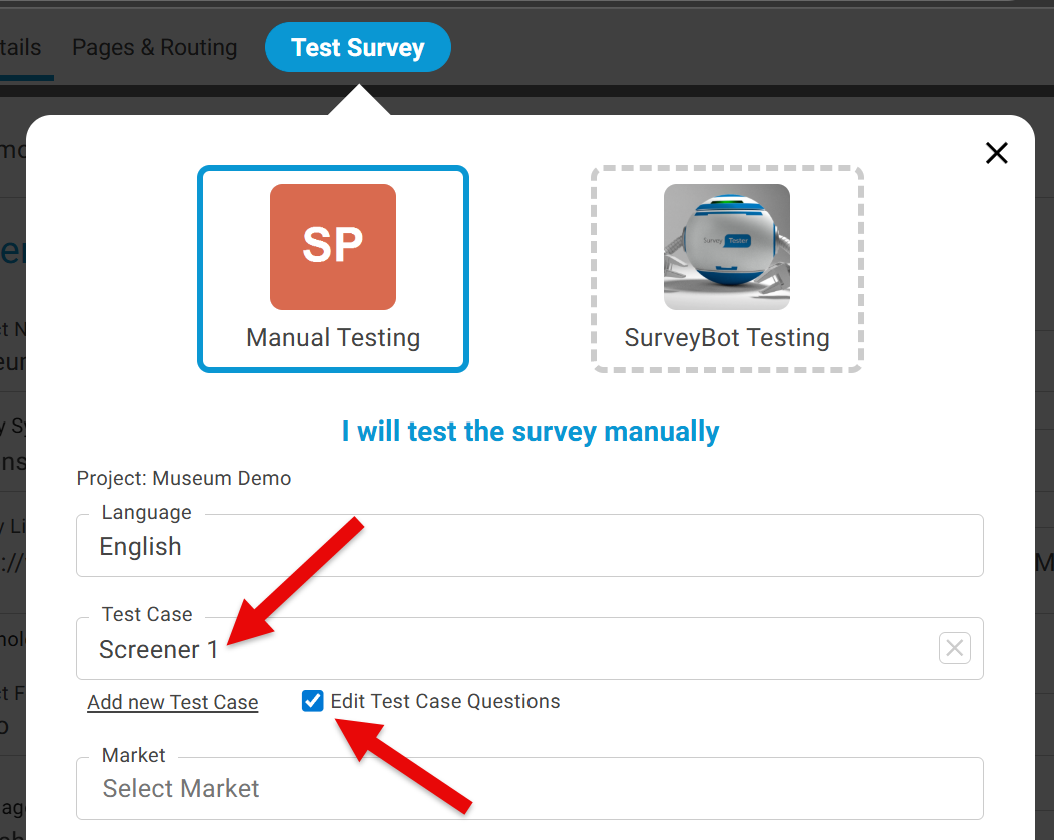
Please note: This is only available if the user has the correct permissions.