
Screenshots Export (Blog)
How to Export and Manage Screenshots in SurveyTester
Screenshots are more than just images—they’re evidence of how your survey behaves across devices, browsers, and test runs. For QA teams, researchers, and project managers, SurveyTester’s screenshot export feature provides a reliable way to document, share, and compare survey performance.
Why Screenshot Export Matters
When testing surveys, screenshots help you:
- Validate design consistency across responsive layouts.
- Troubleshoot issues by capturing entry and exit states.
- Communicate findings with clients and stakeholders in a visual format.
- Maintain records for compliance and quality assurance.
Step‑by‑Step: Exporting Screenshots
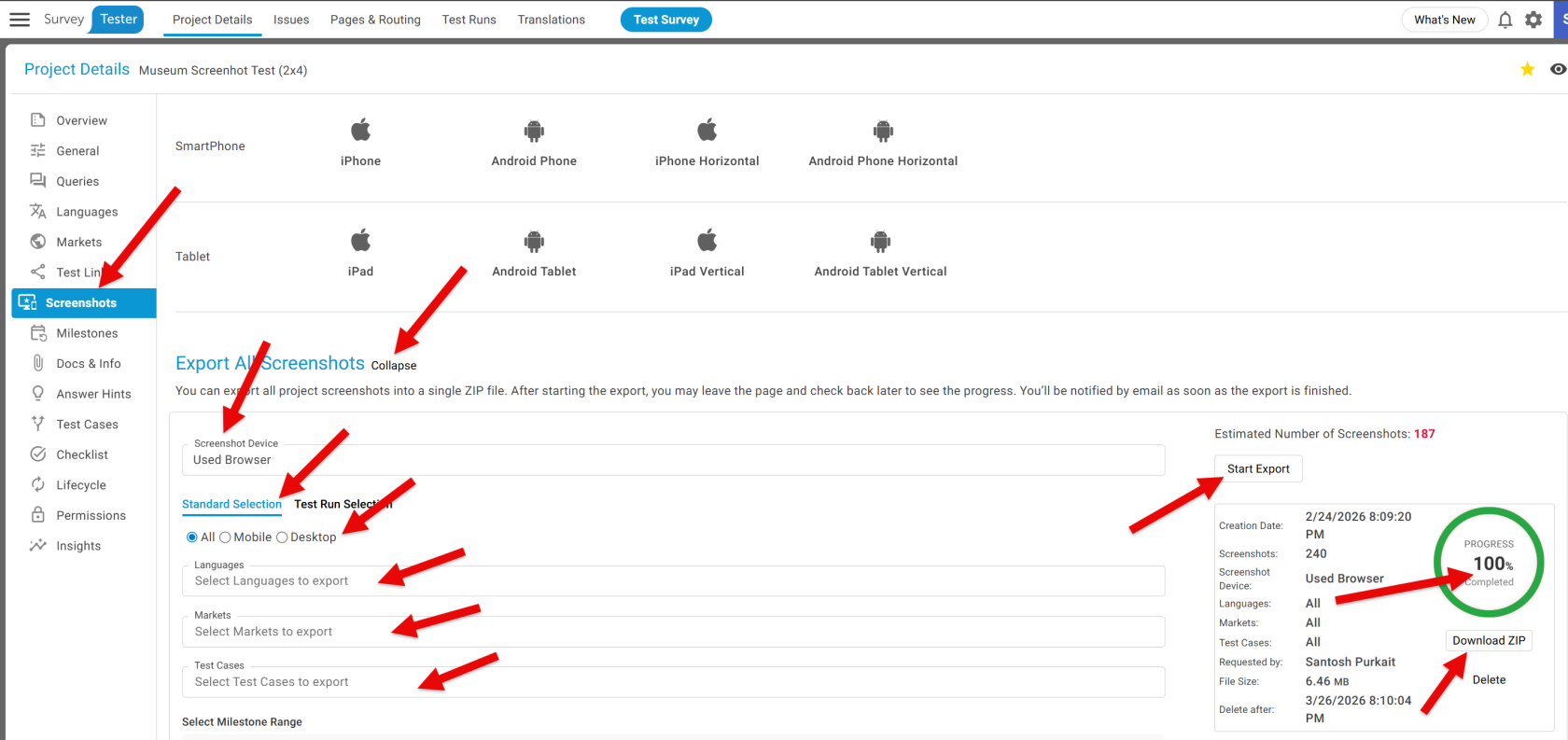
SurveyTester makes exportingExporting screenshots simple:
You’ll seestart the export with a single click. The system shows you the progress in real time. Onceas it reachesworks, 100%,and once everything is ready, a Download Zip button appears—clickappears. itClicking that gives you a neatly packaged file containing all your screenshots, ready to downloadview youror screenshots package.share.
Viewing Your Screenshots
After downloading:
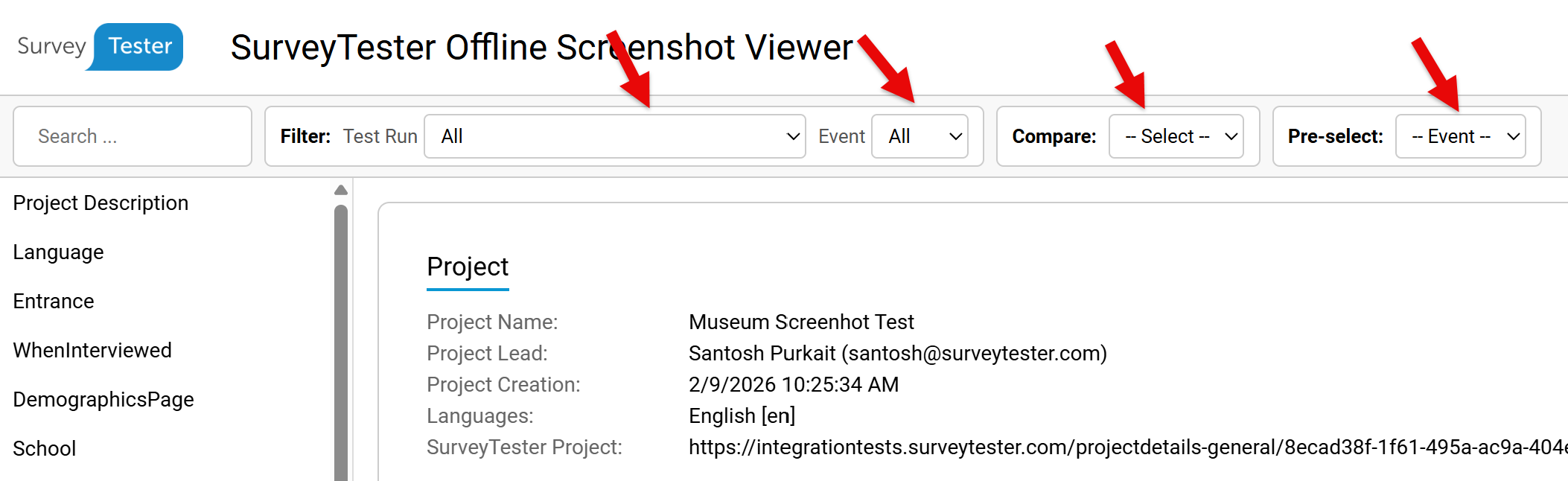
Unzipthe file.OpenScreenshots.htmlinside the folder.Browse all exported screenshots in a structured, easy‑to‑navigate view.
ThisSurveyTester makes it effortlesseasy to review surveyand behavioranalyze screenshots without digginghaving to sort through individual image files.
FilteringYou andcan Comparison Features
SurveyTester gives you control over howfilter screenshots are analyzed:
Filter by Test Run–to focus on a specificsessions.test Entryrun,Screenshotsand–eachcapturedrun provides two types of captures: one taken when the pageloads.first ExitloadsScreenshots(Entry)–andcapturedanother when the pageunloads.closes Compare(Exit). Beyond that, SurveyTester lets you compare screenshots either byRunstest runs orEventsby–specific events, so you can quickly spot differences andvalidateconfirm that your surveylogic.is
Performance Considerations
Each screenshot device has limited capacity, and exports depend on server load. During peak activity, storing screenshots may take a few minutes—but SurveyTester ensures every reported issue always includes a screenshot fromworking the testway browserit used.should.
Final Thoughts
For teams evaluating SurveyTester, screenshot export is a practical feature that enhances transparency and collaboration. For current users, it’s a dependable way to document survey performance and streamline QA workflows. Whether you’re troubleshooting, validating responsive design, or presenting findings, SurveyTester’s screenshot tools make the process efficient and professional.