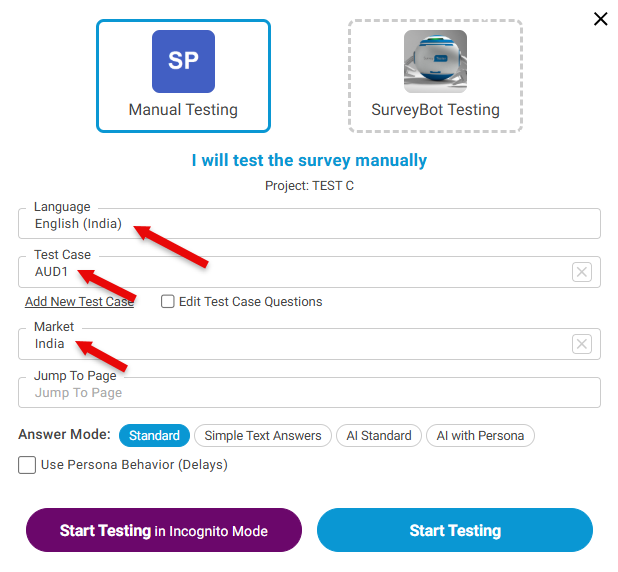
Create Test Case with additional Parameters
If you have more parameters (e.g., device type, channel, custom routing values) to pass into the URL, you can add them manually.
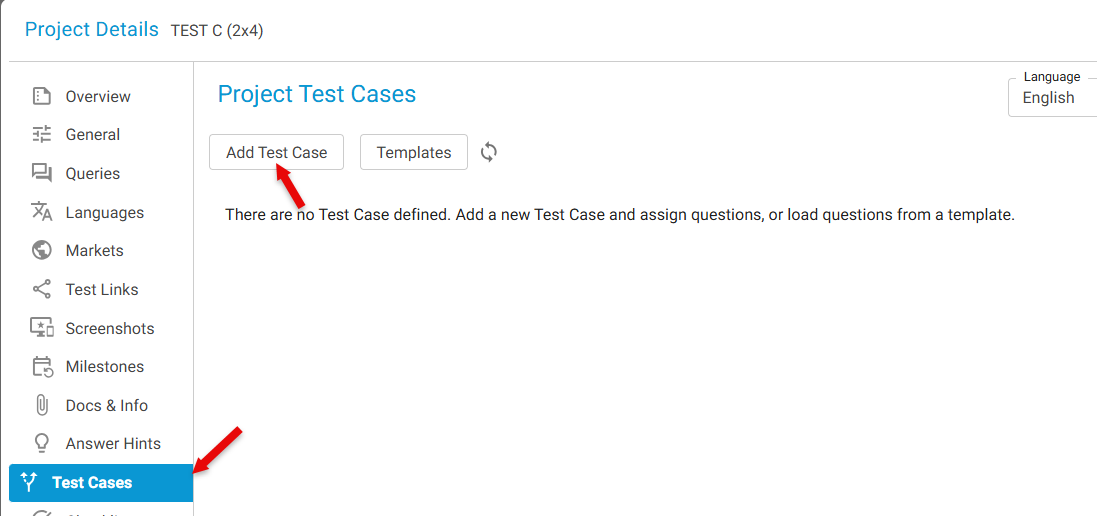
Step 1: Open Test Cases
- In Project Details, select Test Case from the left panel
- Click Add New Test Case
Step 2: Provide Test Case Details
- Enter the Name of the test case
- Provide the parameter value
- Click Add
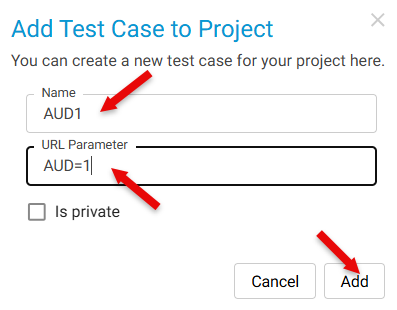
Repeat as needed for all unique values.
All created test cases will appear in the Test Case dropdown list.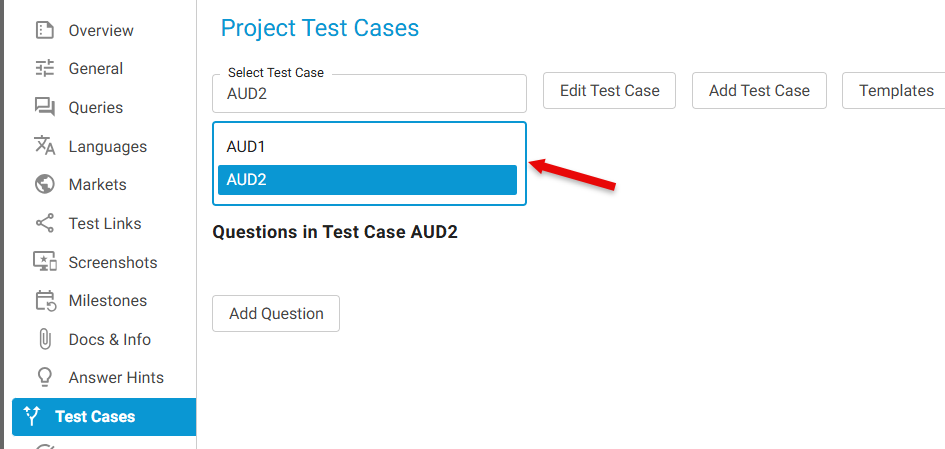
Once Languages, Markets, and Test Cases are created:
- Open the Test Survey Window
- Select:
- The Language
- The Market
- Any Test Case as needed
- Start testing with fully populated unique parameter combinations