
Using Sample with the project
Can I use Sample IDs with SurveyTester?
-> Yes. Sample IDs can be used with SurveyTester.
How to link SampleID?
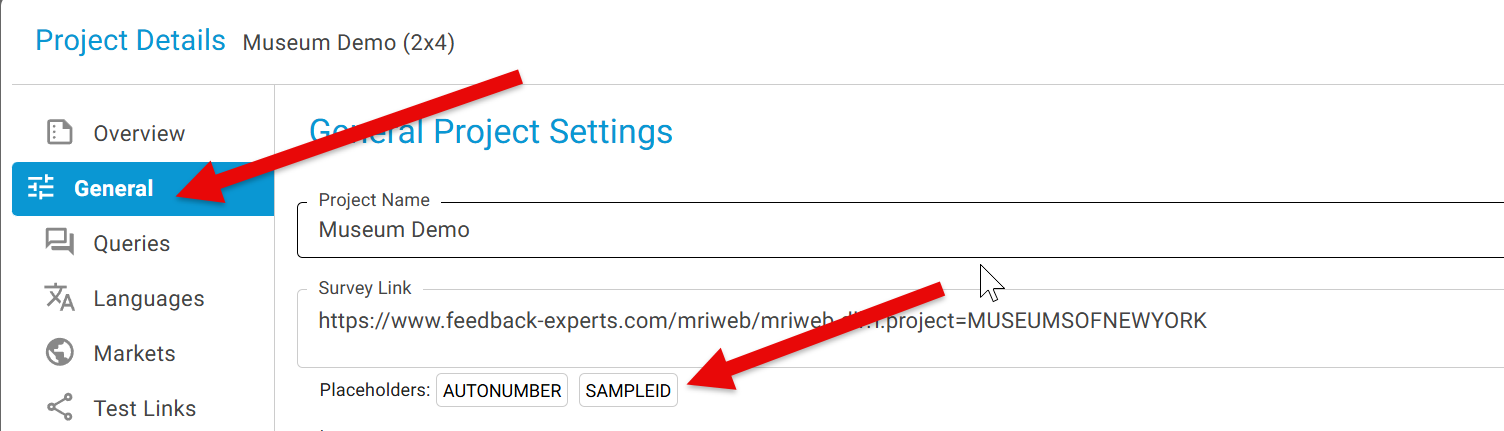
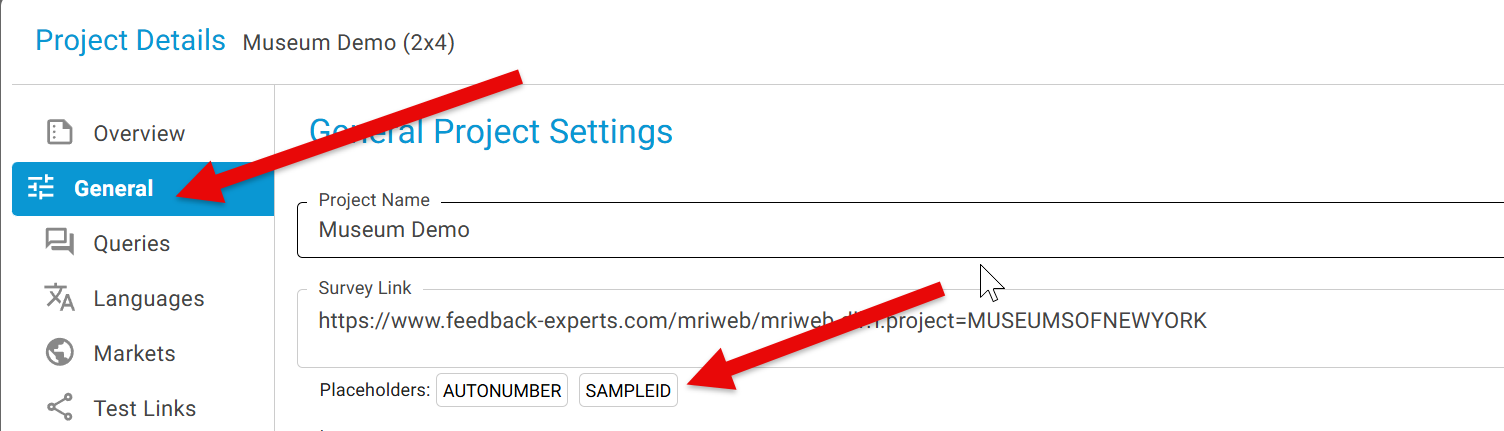
- Project Details -> General Project Settings -> Placeholder
- Click on 'SAMPLEID'
3. Click the Add Sample Records button.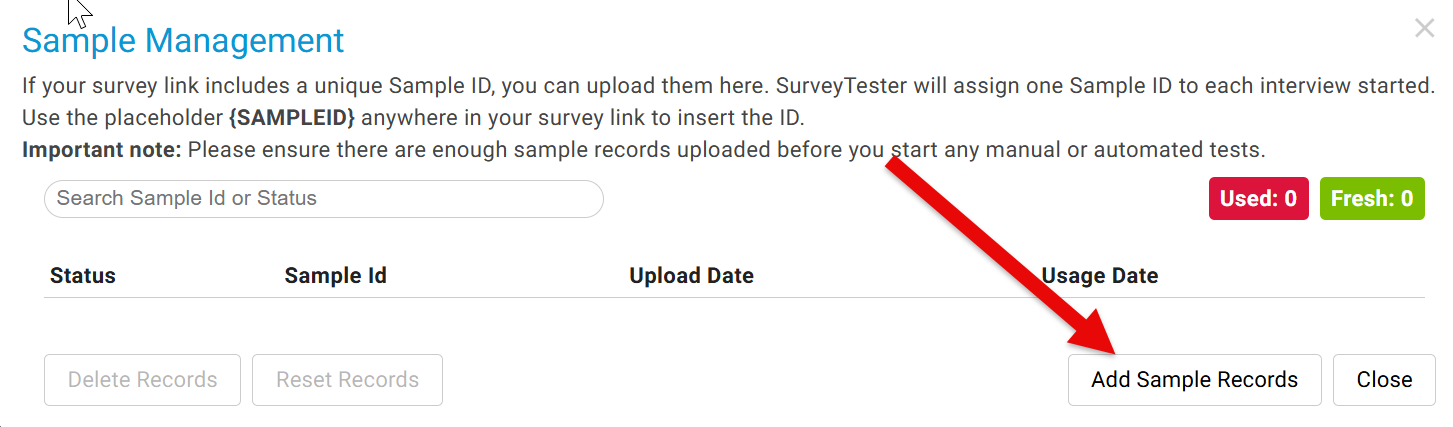
4. Type in the SAMPLEID values, with each ID entered on its own line.
5. Click Add Records.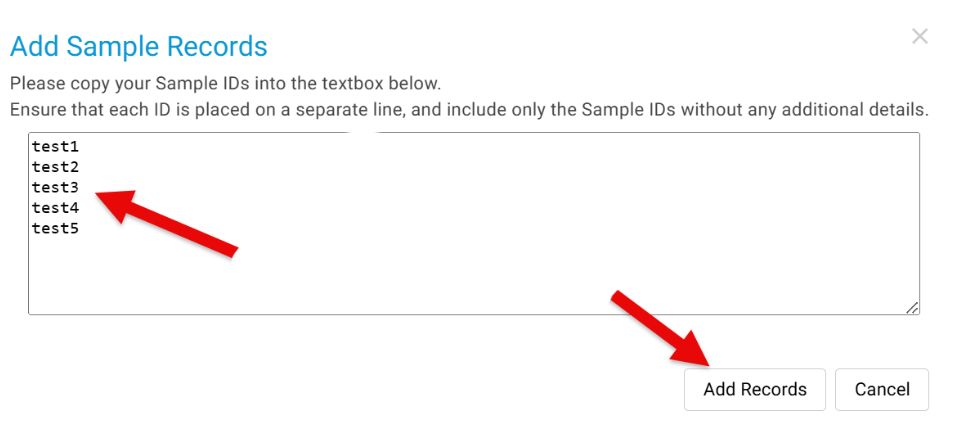
6. Here are the added Sample Fields.
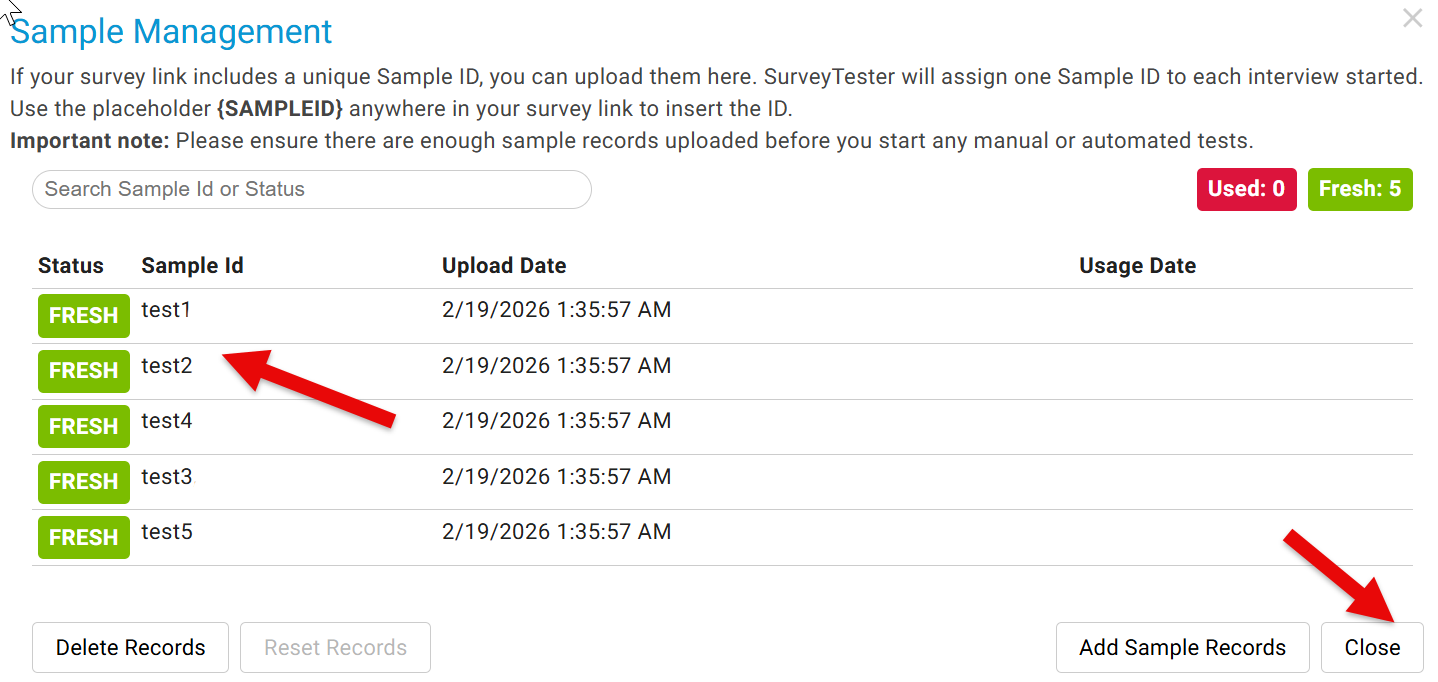
7. Close this window to go back to the main screen.
8. Now you will see the SampleID is highlighted in blue, i.e. this field can be appended to the survey URL to pass a parameter.
Edit Survey Link to add the SAMPLEID parameter (e.g. &id=) and append the field name within curly brackets {SAMPLEID}
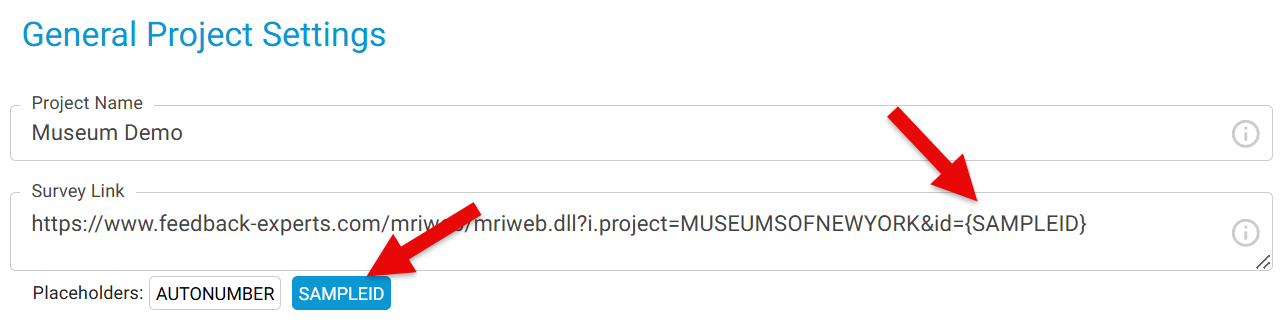
Congratulation! You have successfully added Sample ID to the survey test link. The survey link will now be - https://.......&id={SAMPLEID}