
SurveyBots are missing when I start a test run
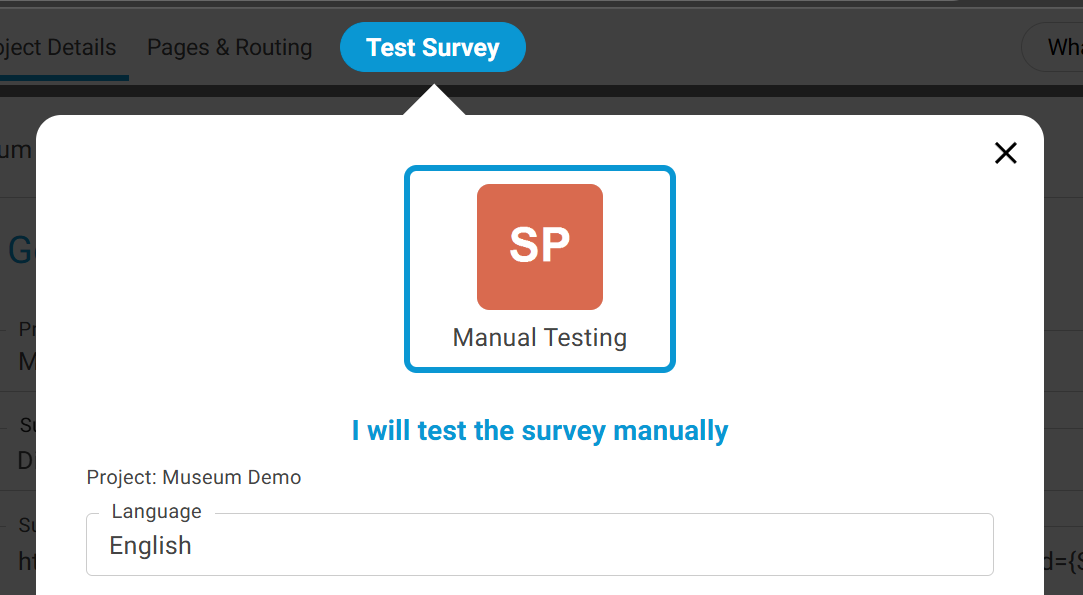
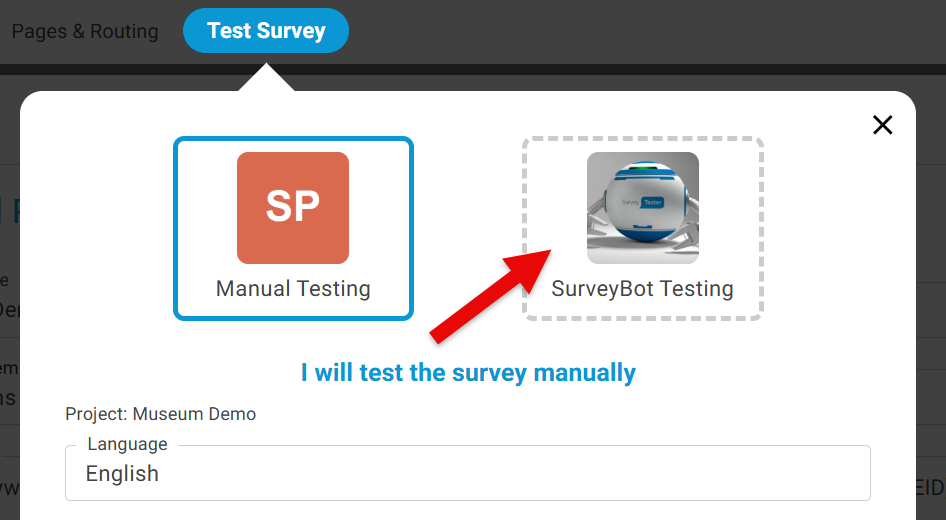
If you are unable to see the SurveyBots in the Test Survey window, this is because you do not have access to use SurveyBots for automated survey testing and you will see the below screen with only option for Manual Testing.
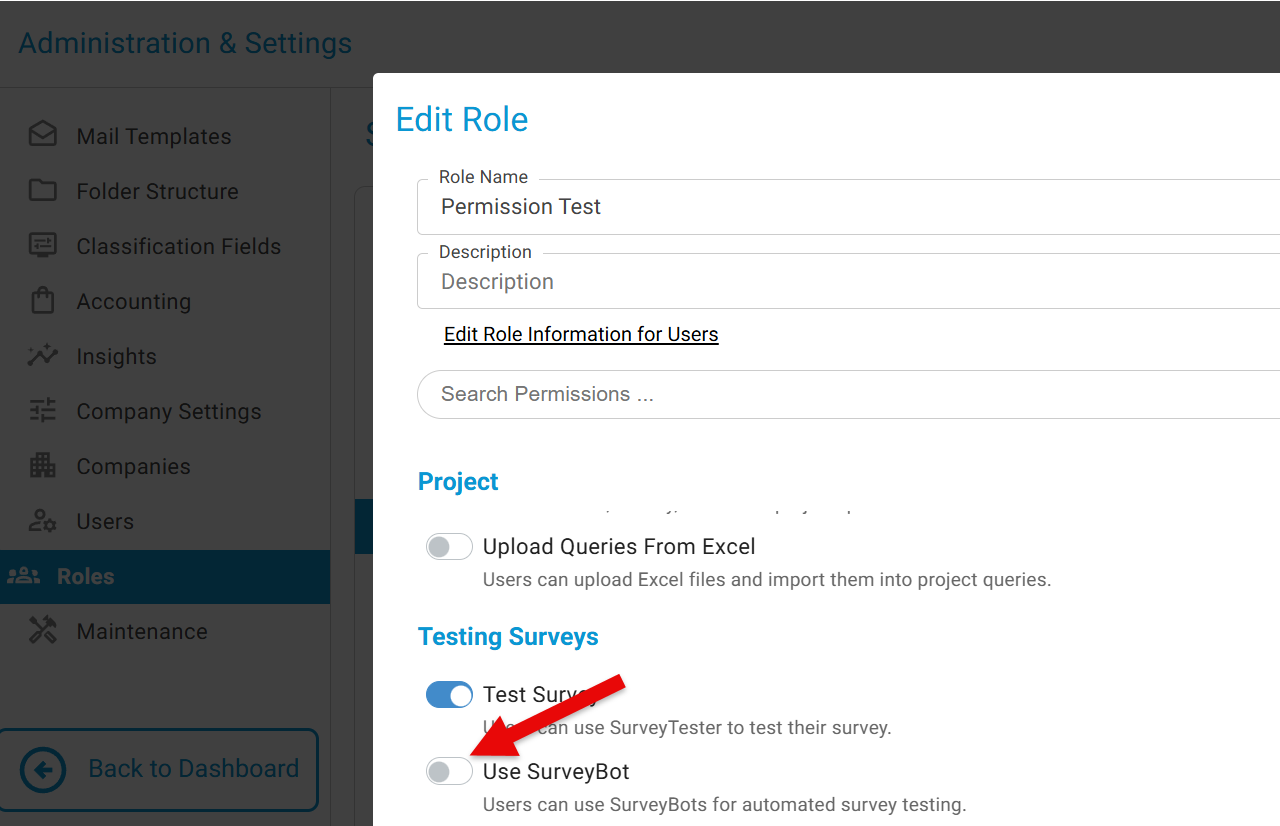
To enable the SurveyBots go to Administration & Setting -> Roles --> Select the Role -> and turn on 'Use SurveyBot'. The users can now use SurveyBots for automated survey testing.
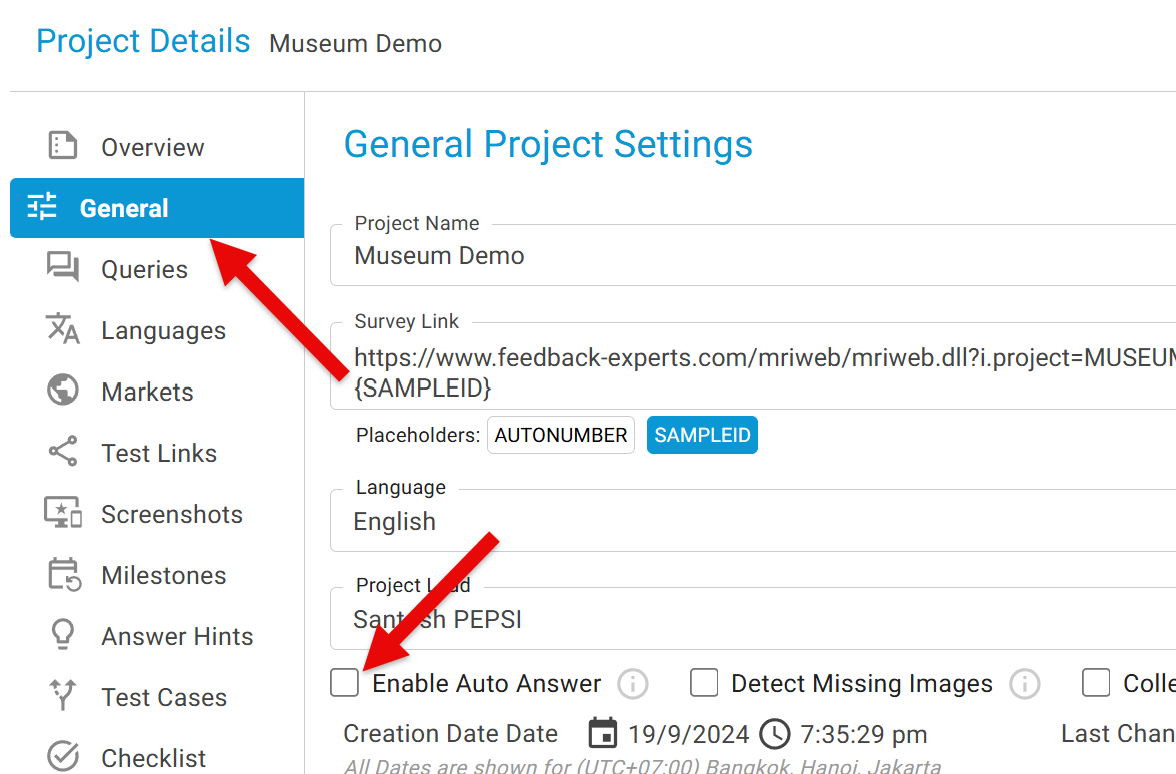
To activate SurveyBot for a project:
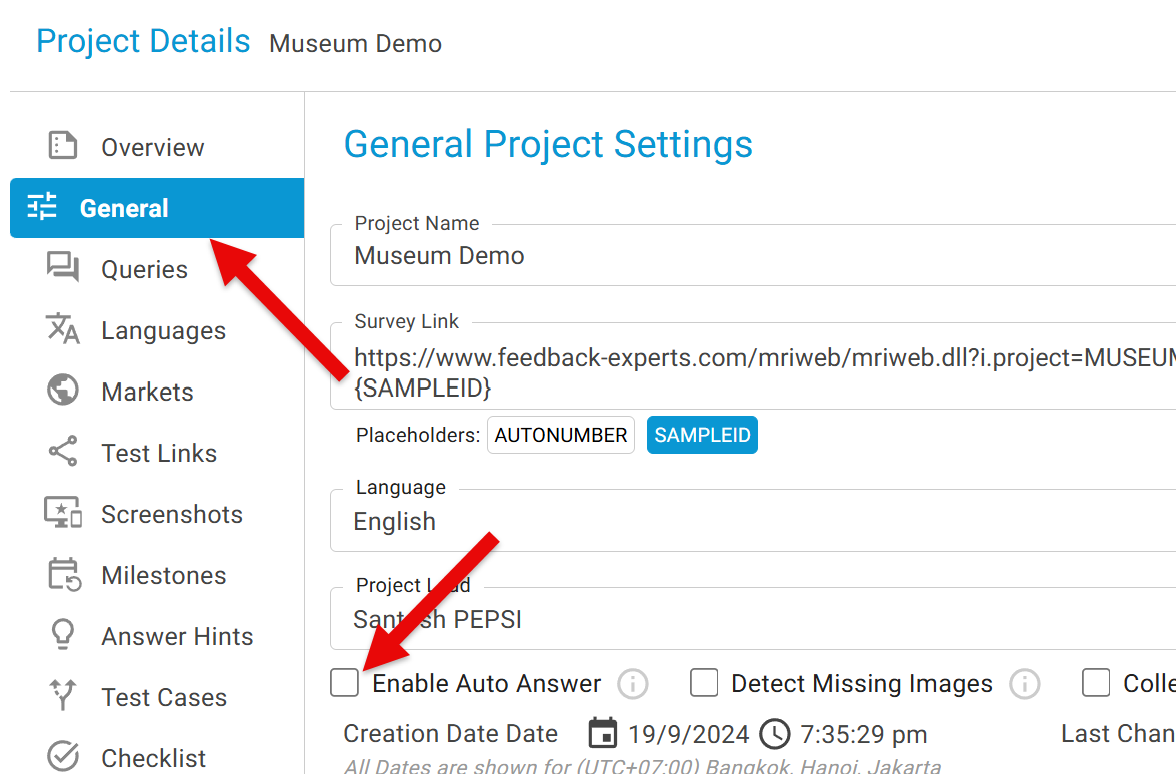
- Navigate to General Project Settings while creating a project or editing an existing one.
- Check the box labeled Enable Auto Answer.
Once the access is granted you will see the SurveyBot when you Test Survey.
To enable the SurveyBots go to Administration & Setting -> Roles --> Select the Role -> and turn on 'Use SurveyBot'. The users can now use SurveyBots for automated survey testing.