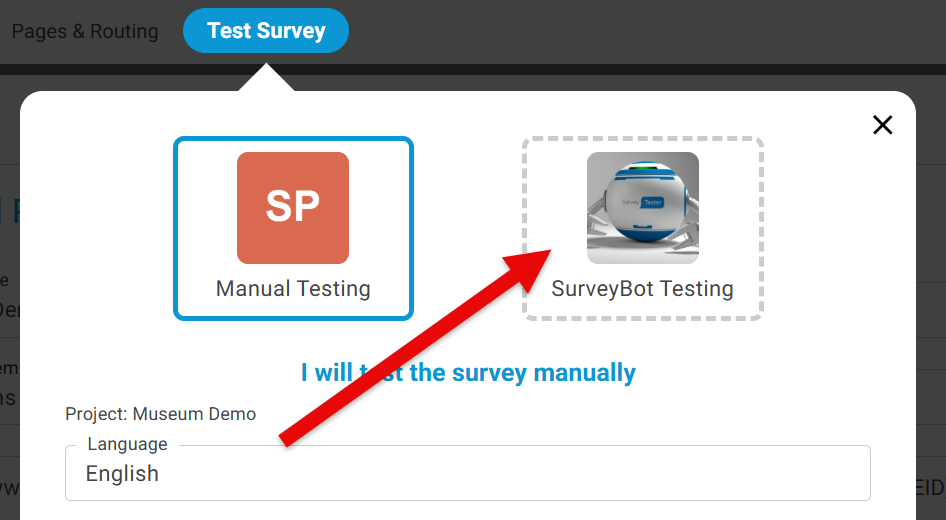
SurveyBots are missing when I start a test run
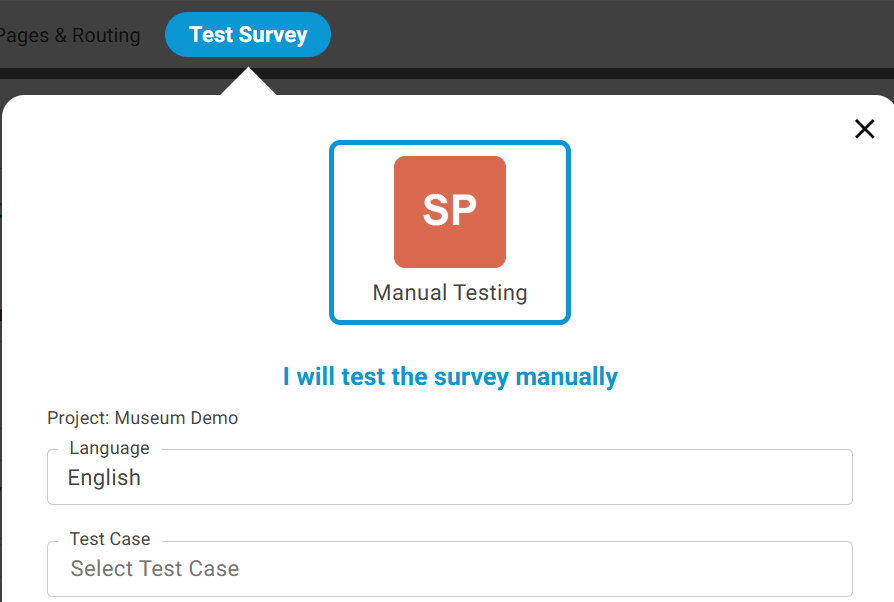
If you are unable to see the SurveyBots in the Test Survey window, this is because you do not have access to use SurveyBots for automated survey testing and you will see the below screen with only option for Manual Testing.
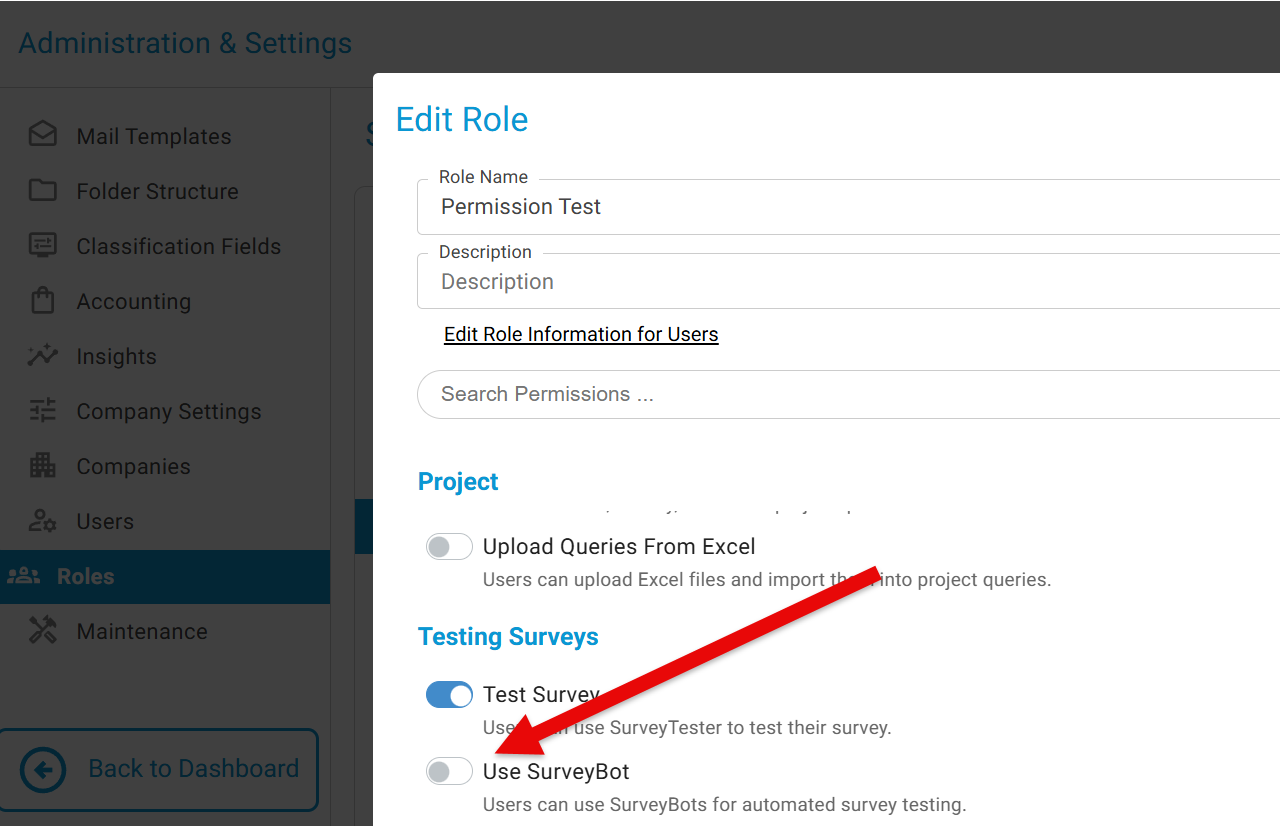
To enable the SurveyBots go to Administration & Setting -> Roles -> and turn on 'Use SurveyBot'
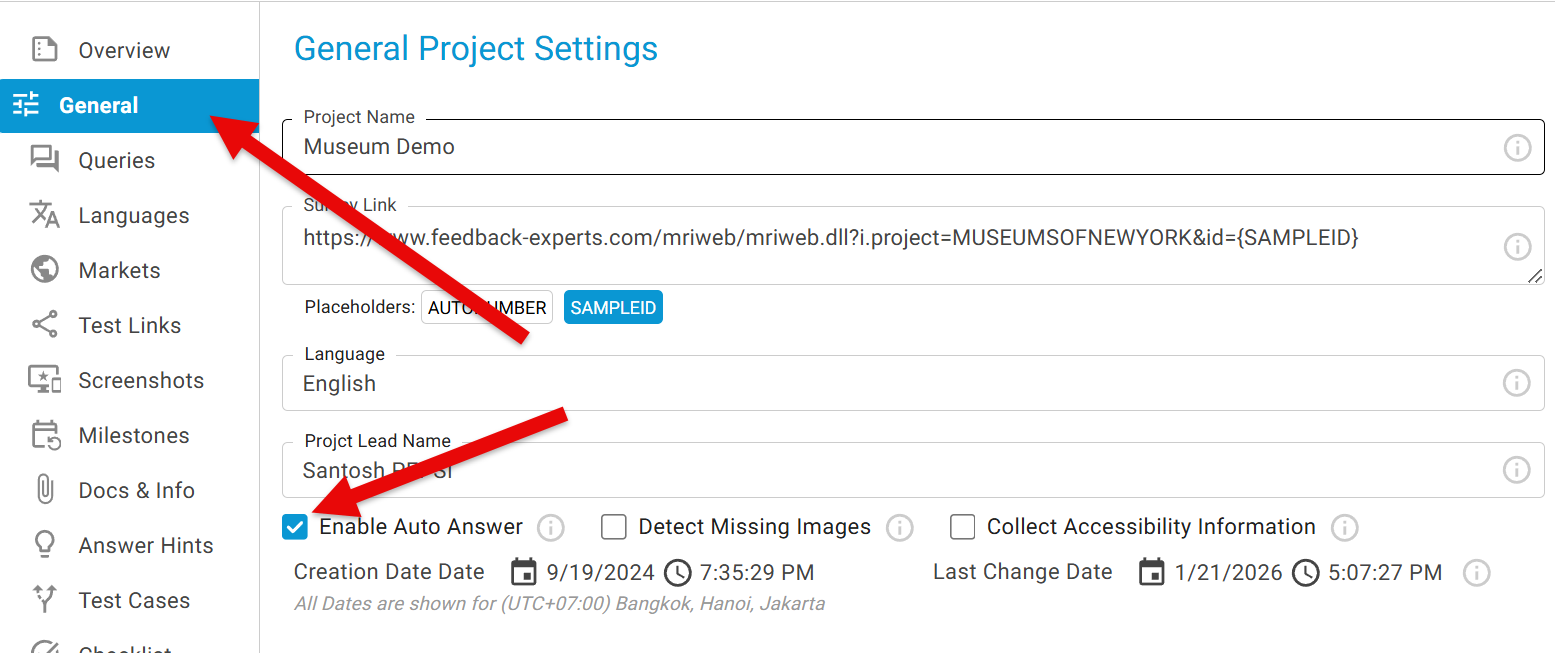
To activate SurveyBot:
This allows Survey Tester to automatically respond to questions based on its learned input patterns.
Once the access is granted you will see the SurveyBot when you Test Survey.