
Project Search
Searching for Projects
You can locate projects in the project list using either keyword search or creation date filters.
1. Search by Keyword
To find a project using a keyword:
- Go to the search bar in the project list.
- Enter any relevant word or phrase.
For example, typing "museums" will return all projects where this keyword appears in any project details, including:
- Project name
- Survey URL
- Survey system
- Any other searchable project field
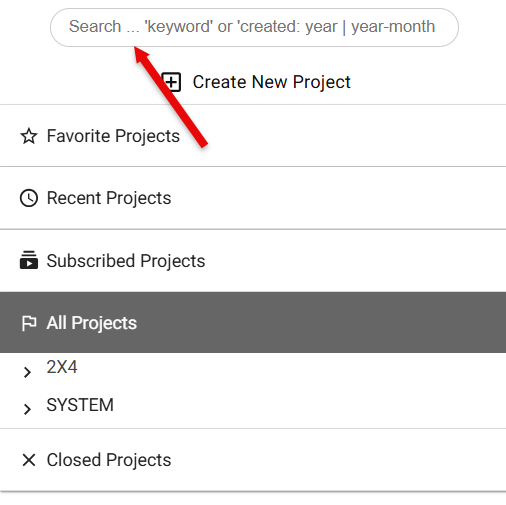
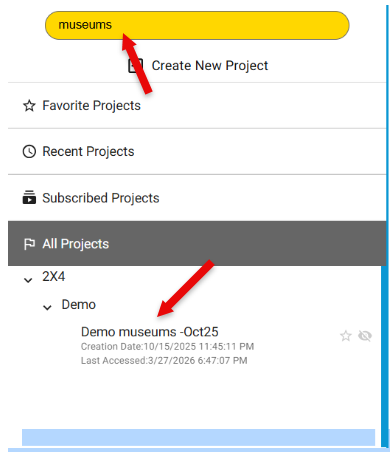
This allows you to quickly locate projects based on partial information or related terms.
2. Search by Creation Date
You can also filter projects by the date they were created using the created: search operator.
-
To find all projects created in a specific year: created: 2026
-
To narrow the search to a specific month: created: 2026-03
-
To search for projects created on a specific day: created: 2026-03-15
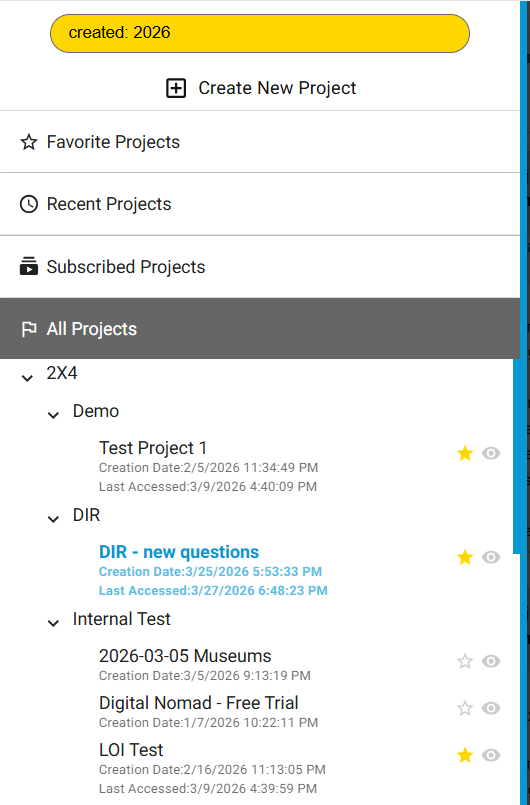
This is useful when you know approximately when the project was created but not its exact name.