
Project Phase & Milestone Tracking
Clients often ask how they can measure the number of iterations (back‑and‑forth review rounds) made to a survey link link—from the moment the initial link is shared until final sign‑off.
SurveyTester provides a flexible and structured way to track these stagesiterations using Milestones / Phases, which allowenabling teams to measure time, effort, and iteration counts across the entire project lifecycle.
How to useUse Milestones and relatedRelated featuresFeatures to trackTrack testingTesting phases, issue cycles,Phases and iterationIterations
You can track each phase of the testing process by creating Milestones that represent each round of changeschanges, reviews, or reviewquality cycles.
checks.
checks.
Milestones allow you to monitor:
HowThemanytotal number of testing roundsoccurredcompleted- When each round started and ended
HowThemanynumber of issuesbelongedloggedtoin each iterationHowThelongduration of each milestonetook- Which issues were resolved before
movingprogressing to the next phase
Once you create multiple milestones,milestones are created, SurveyTester gives youprovides several views and tools to analyze project iterations.progress
and iteration effort.
1. Create Milestones for Each Round
Milestones can be createdused basedto on:structure
workflow phases such as:
- Each round of testing (e.g., Round 1, Round 2, Final QC, Sign‑
off,off) - Internal process stages (e.g., Ready for QC, Script Update Needed)


Filtering issues by these statuses adds an additional layer of visibility into testing progress.
Custom milestones can also be created for:
- Significant project events (e.g., Initial
Link,Link Shared, Major Script Update, Final Review) Team processes (Ready for QC, Script Update Needed)
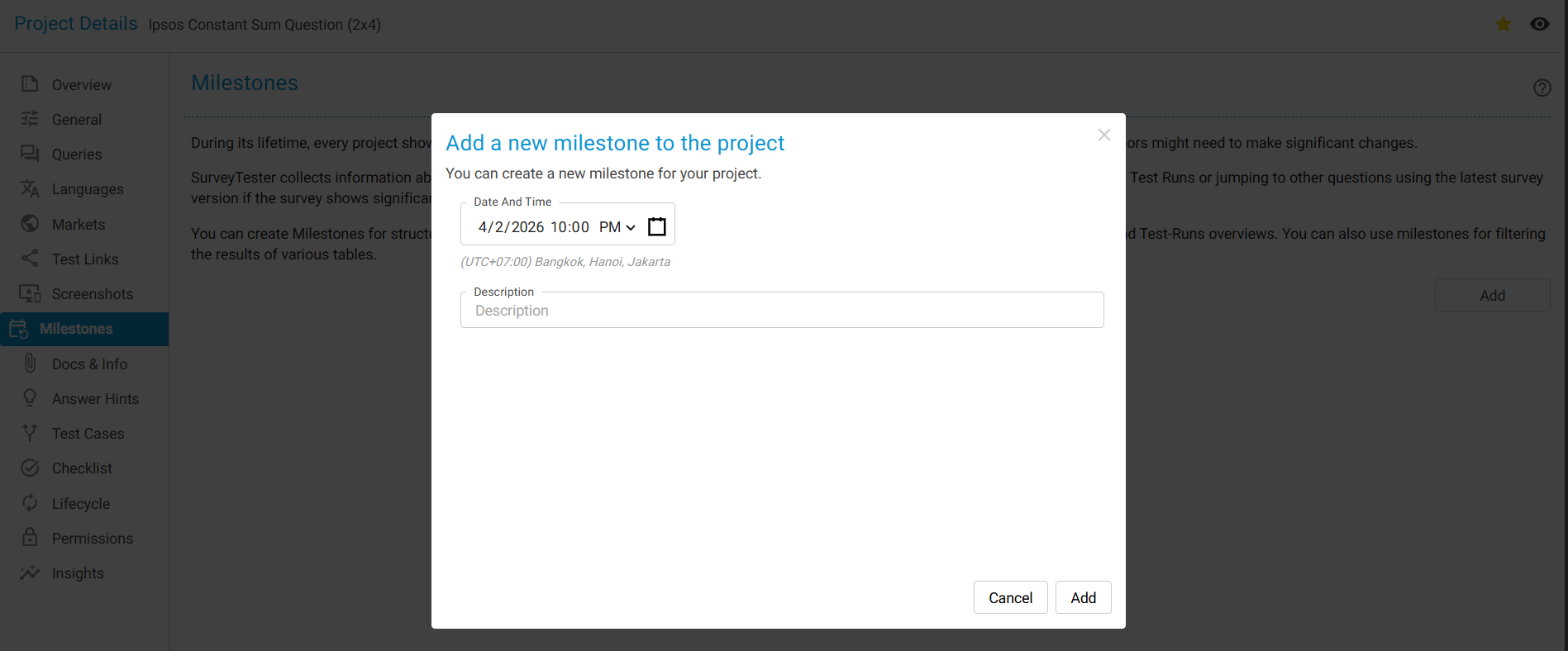
You canshould add a new Milestone whenever:
- A major script or link update is
pushedreleased - A
roundtestingofor feedback round is completed - The project moves
tointotheanextnew phase
This creates a clear historical timeline of testing iterations.activity. However, manually created milestones cannot be used for tracking phase iteration counts.
2. Insights → Project Phase
The Insights section provides automatic analytics for each phase, including:
- Duration per phase
- Workload per testing round
- Counts of issues, comments, and resolutions
- Performance comparisons across milestones
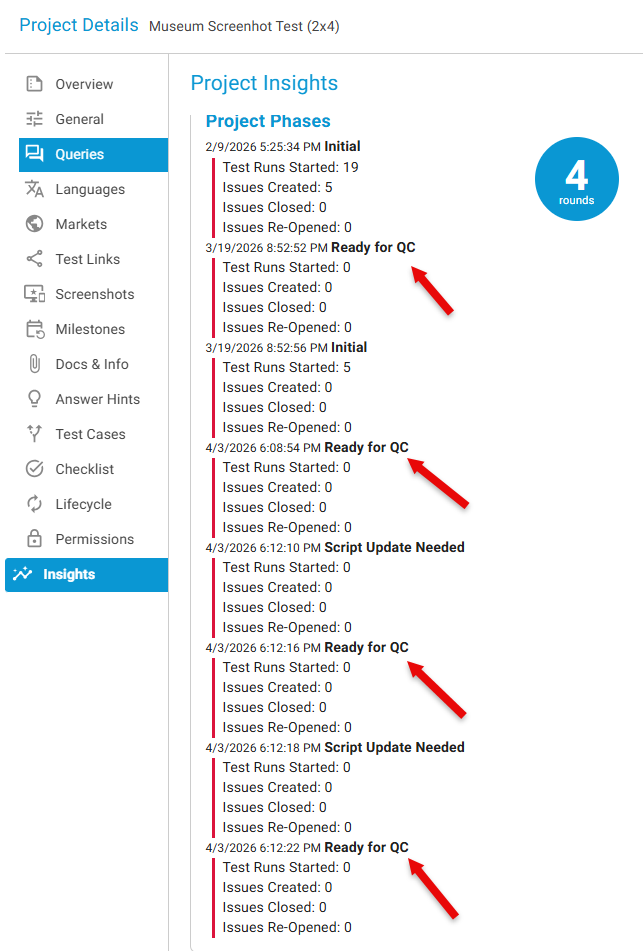
This is the primary tool for calculating iteration effort.
2.Important:WhatManuallyYoucreatedWillmilestonesSeedoAfternotCreatinggenerate a new Phase for phase counting. A new Phase (along with its round‑based analytics) is created only when Milestones are added using the Issues → Project Phase drop‑down list.
Recommended Workflow for Measuring Iterations
- Create Milestone: Initial Link Shared
- Team tests the survey → issues are logged
- Developer updates the script
- Create Milestone: Ready for QC – Round 1
- Retest → new issues are logged
- Developer addresses remaining issues
- Create Milestone: Ready for QC – Round 2
- Repeat until final approval
- Create Milestone: Final Sign‑off
Combined with start and end timestamps, milestones create a clear and auditable record of project effort.
How to Track Iterations Using Milestones
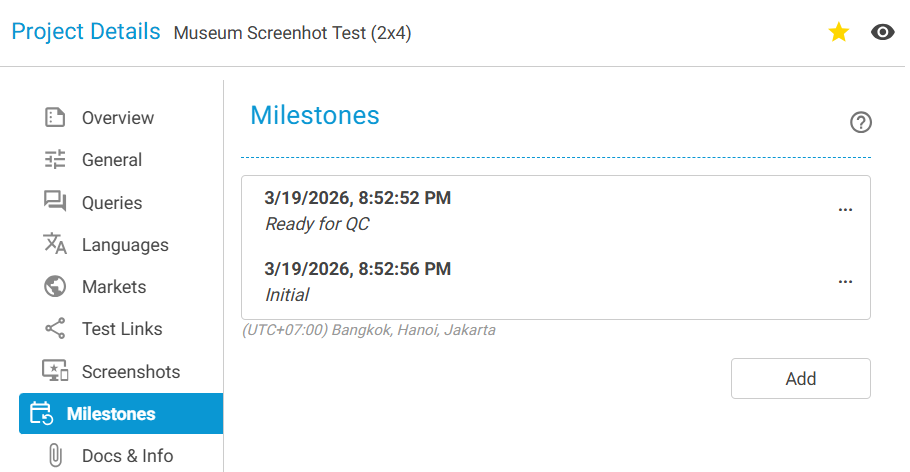
Once milestones are created, SurveyTester populates multiple features automatically:
a. Filter Issues by Milestone:Milestone
Filtering issues by milestone allows you to seeview:
- Total issues raised during each iteration
- Issues resolved within each round
- Items that require follow‑up
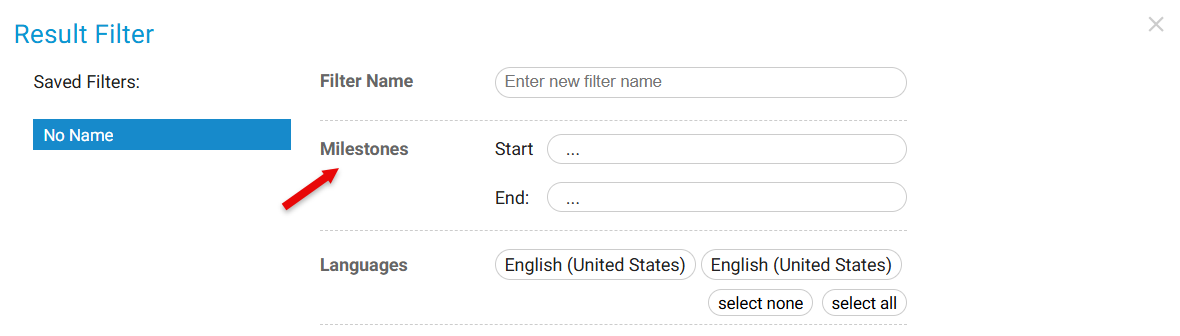
- Total issues raised in each iteration
- How many were resolved
- Which require follow-up
This helps quantify the effort per iteration.testing
cycle.
b. View Issues Grouped by Milestone:Milestone
SurveyTester visually separatesgroups issues by milestonemilestone, somaking youit caneasy easilyto seesee:
- Issue volume per testing phase
- Quality improvements from early testing to final sign‑off
- Which rounds required the most effort

- Number of issues per testing cycle
- The progression of quality from early rounds to final sign‑off
- Which rounds were most effort-heavy
c. ExportingExport Screenshots by Milestone:Milestone
When exporting screenshots, you can choose -
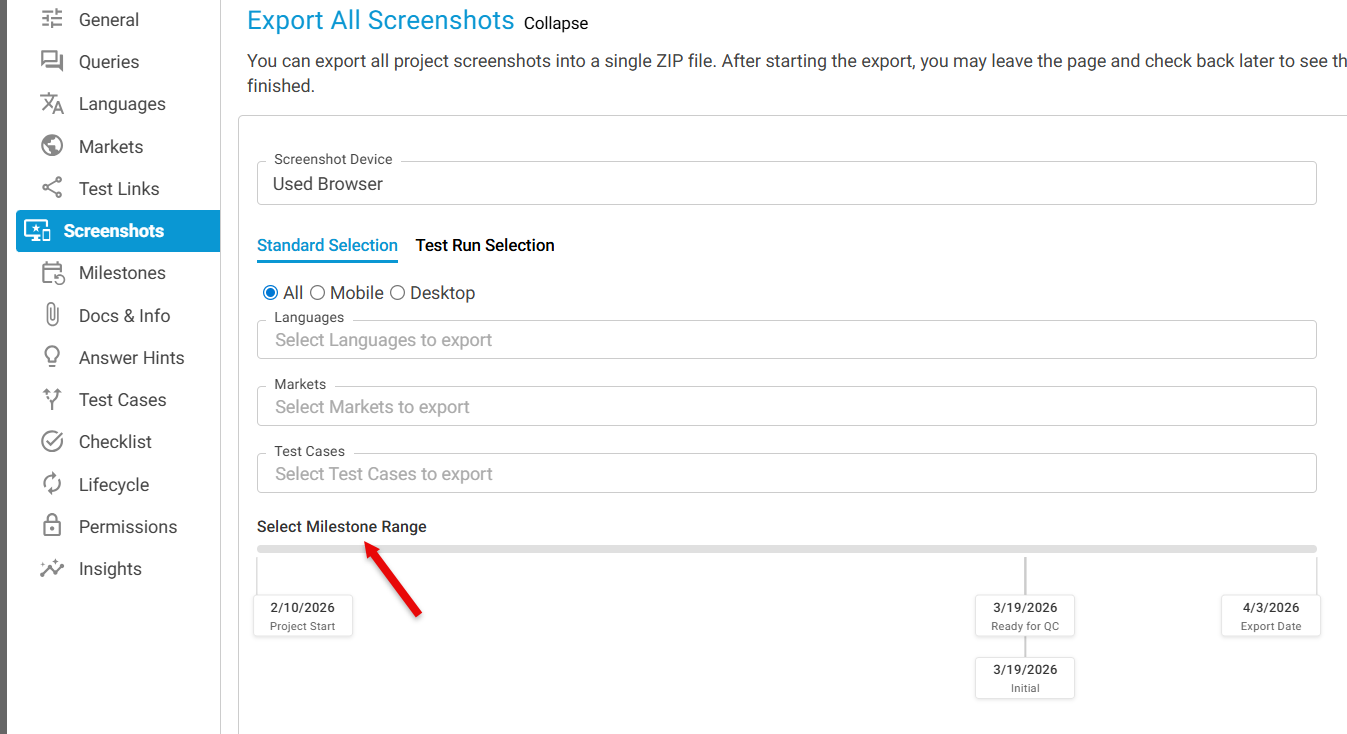
choose:
- All screenshots
infrom the project - Screenshots
forassociated with a specific milestone only
d. Insights → Project Phase: The Insights section provides automatic analytics for each Milestone, such as -
Duration per phaseWorkload per roundCounts of issues, comments, resolutionsPerformance comparisons across milestones
This is the closest tool for calculating iteration effort.
e. Creating Phases Using Issue Statuses
In addition to milestones, you can structure workflow phases using:
Ready for QCScript Update Needed
Filtering issues by these statuses provides another layer of visibility into testing progress.
Recommended Workflow for Measuring Iterations
Create Milestone: Initial Link SharedTeam tests → issues are loggedDeveloper updates scriptCreate Milestone: Ready for QC - Round 1Test again → new issues addedDeveloper fixes remaining issuesCreate Milestone: Ready for QC - Round 2Continue until final sign‑offCreate Milestone: Final Sign‑off
In the end, the total number of milestones = total number of iterations. Combined with timestamps, this gives you a clear record of project effort.
Benefits of Using Milestones for Iteration Tracking
✅ UnderstandTrack the total number of revision rounds
✅CalculateMeasure testing time per iteration
✅Show clearDemonstrate progress and quality improvements
✅ Provide transparency to clientsorand vendors
✅MakeSimplify audits and post‑project reviews easier
✅CreateMaintain ana organizedstructured testtesting history
✅
✅
✅ Provide transparency to clients
✅
✅
Summary
Survey Tester
SurveyTester does not directlyautomatically label iterationsiterations. automatically, butHowever, Milestones provide a powerful and structured way to track every testing phase, measure time and effort, and count the fulltotal number of iteration cycles.
By consistently creating milestones for each testtesting round or build update, teams gain complete visibility visibility—from the initial survey link through to final sign‑off.