
Incognito mode
To enable using Survey Tester in Incognito mode, please follow the below steps.
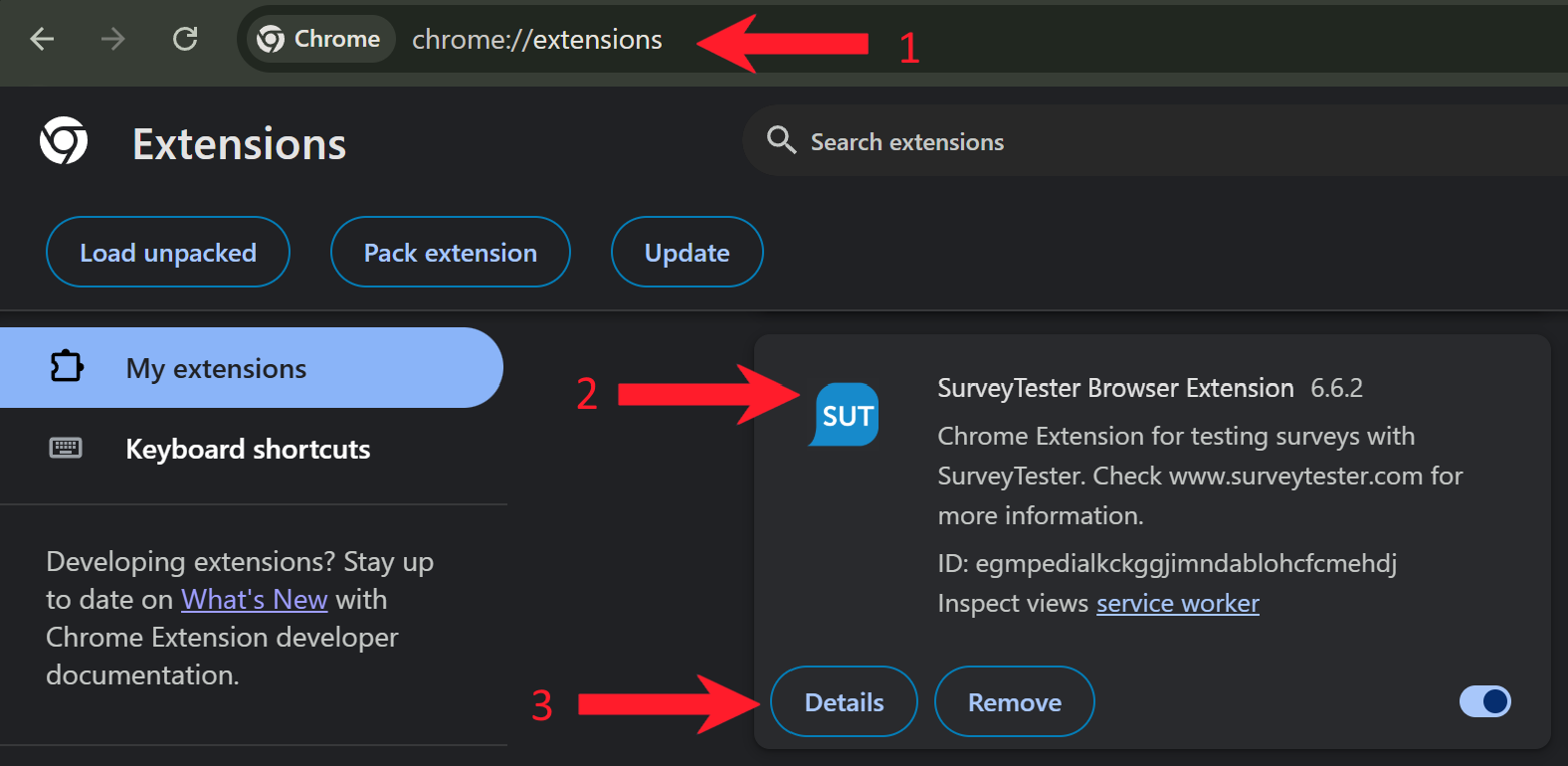
1. Open the browser extensions page by typing "chrome://extensions" in the browser address bar.
2. Look for "SurveyTester Browser Extension"
3. Click on "Details" then switch on Usage in incognito mode.
4. Search for "Allow in Incognito".
5. Toggle to turn on.

Please note: The SurveyBots always start in a fresh environment.