
Duplicate a Role
Creating a New Role by Duplicating an Existing One
Administrators can quickly create a new role by duplicating an existing role and adjusting its permissions as needed. This approach ensures consistency and saves time when configuring similar role types.
Steps to Duplicate a Role
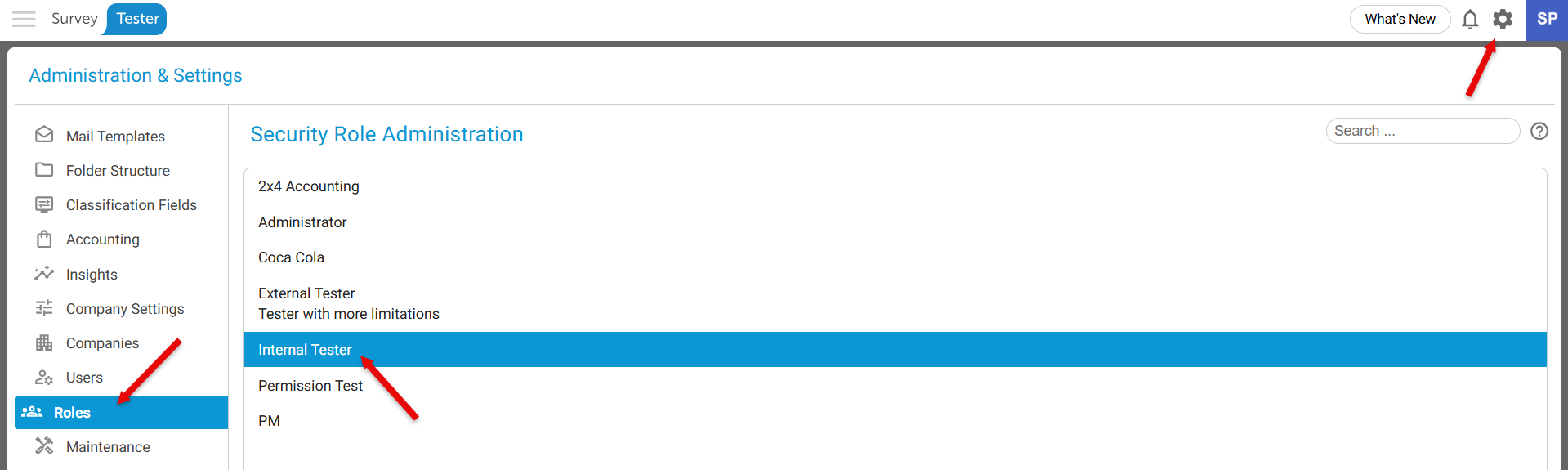
- Click on the gear icon on the top right corner of the screen to navigate to Administration & Settings.
- In the left‑hand panel, click Roles.
- Select the existing role you want to duplicate.
- Enter a new Role Name and provide a description for the new role.
- Make the desired permission settings.
(Once these fields are filled in, the Duplicate button at the bottom of the page will become active.)
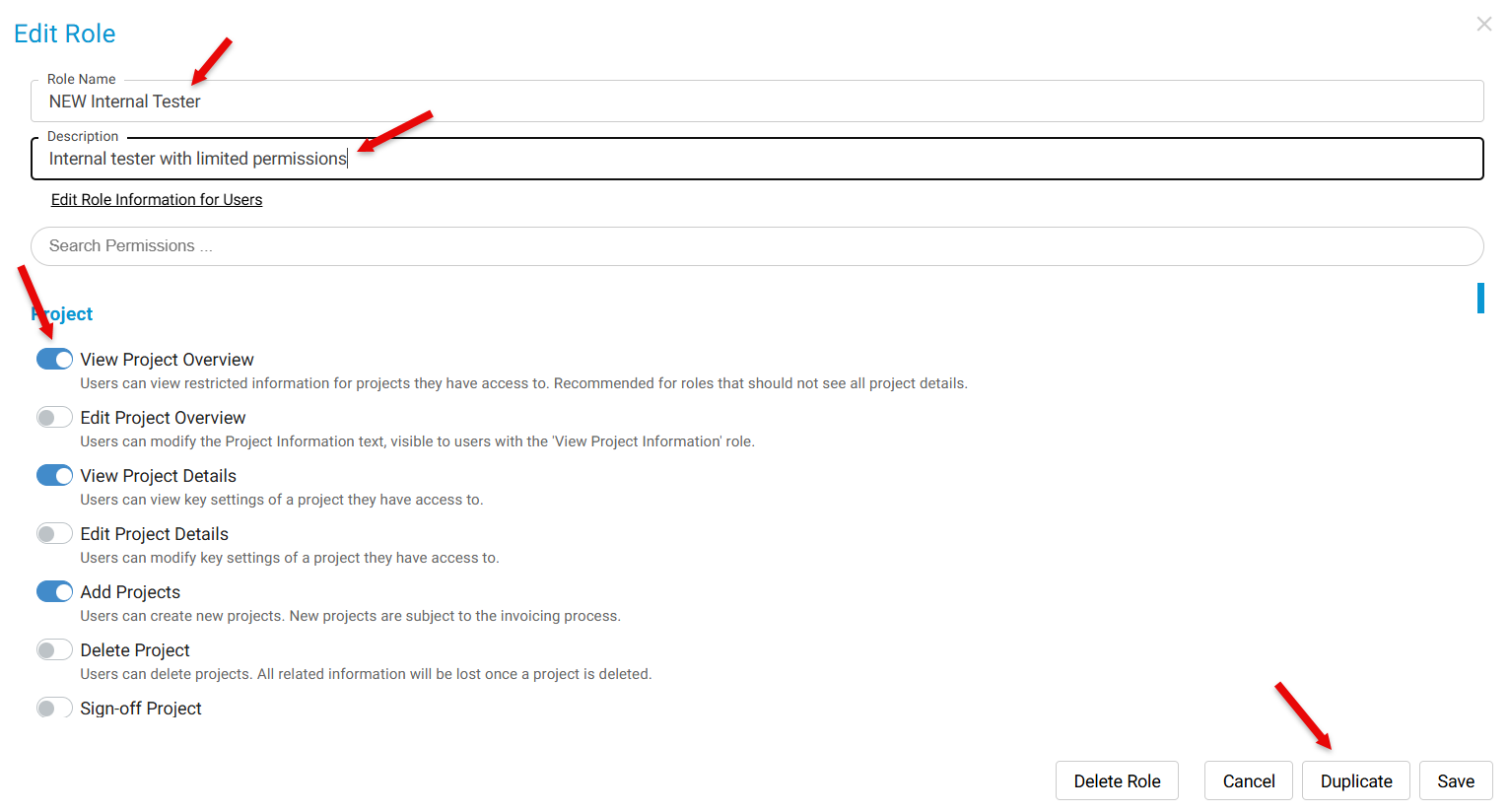
- Click Duplicate to create the new role.
The system will generate a new role with the same permissions as the original, which you can then modify as required.