Classification Fields
Classification Fields help structure issue reporting. Field Sets group them for projects. You control visibility, colors, defaults, and whether values can close issues.
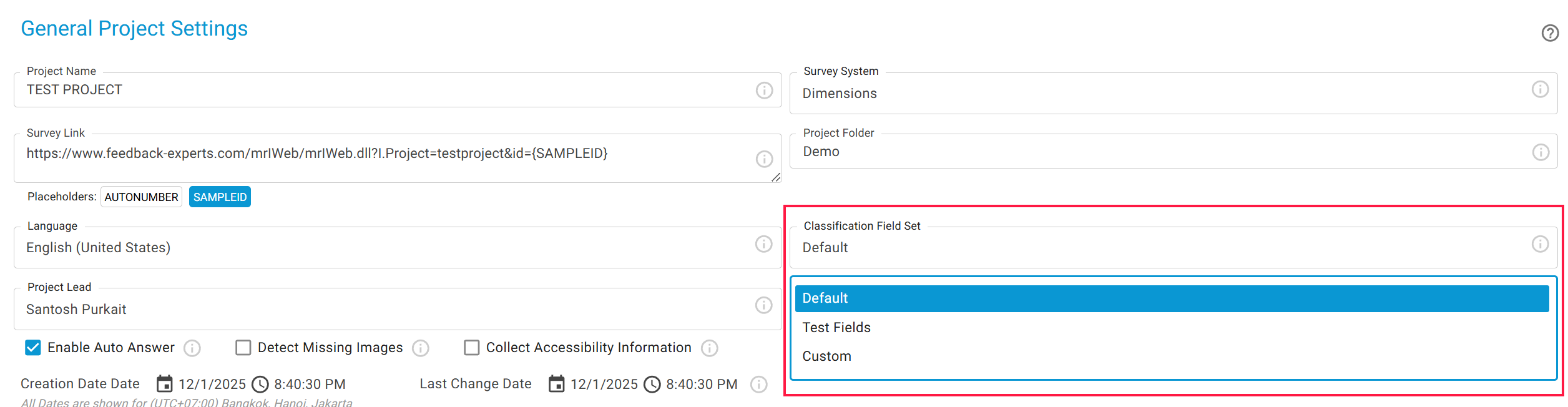
SurveyTester lets testers record issues using Classification Fields—structured details that describe the problem. Since every company, team, or customer may need different fields, SurveyTester groups them into Classification Field Sets. When starting a new project, you simply choose one of these sets as your project template. To add an new set click on ADD FIELD SET.
🔹 Field Table Columns
-
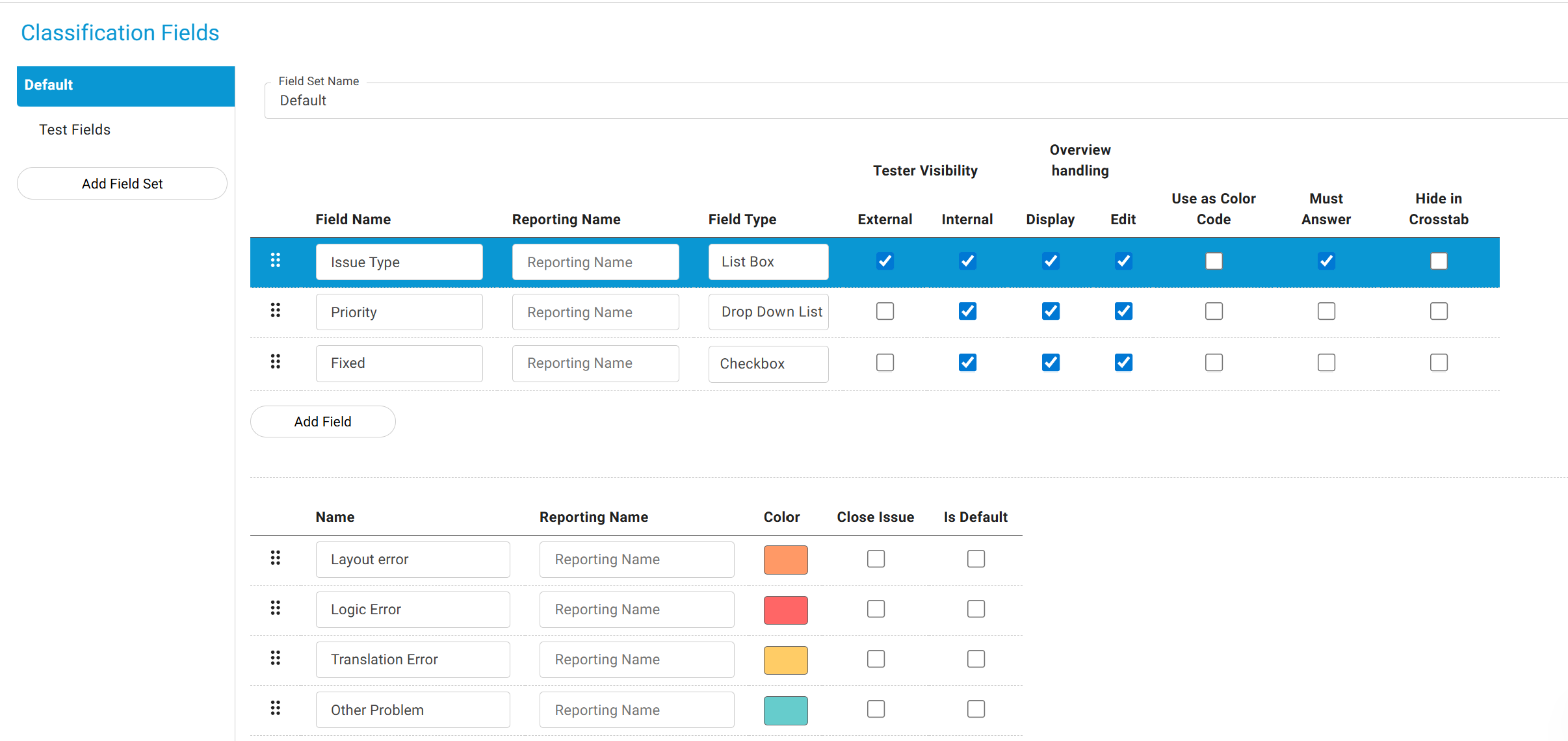
Field Name: Label shown during testing and issue review.
- Reporting Name: Name that will be shown in the reports.
-
Field Type: Drop-down, list box, or radio button (interchangeable). Other types are fixed once created.
-
Tester Visibility: Decide who sees the field (testers, project managers, etc.).
-
Overview Handling: Show/edit fields directly in the issue overview table.
-
Must Answer: Testers must select a value before saving an issue.
-
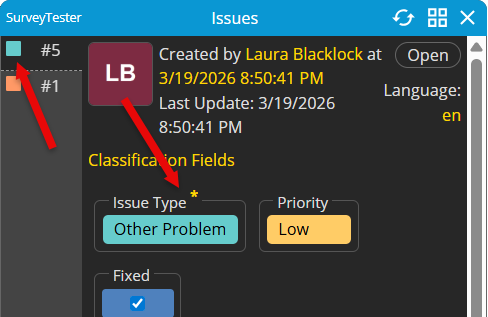
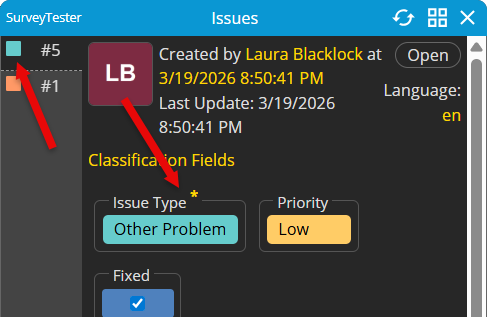
Use as Color Code: Display color codes for issue list during testing (refer to screenshot below).
🔹 Field Values Columns
-
Name: Label shown during testing and issue review.
-
Color: Assign a color to the value (helps visualize issues).
-
Close Issue: Mark values that automatically close an issue. (Manual close can be allowed in company settings).
-
Is Default: Pre-select a default value so testers don’t need to fill it in.
-
Checkbox Colors: Define colors for Field Type Checkbox.
Note: It is not recommended to change the Classification Field Set after testing has begun unless there is a strong and necessary reason to do so.