Add User
How do I add a user to SurveyTester?
User can be added to a project based on ROLE or an individual USER.
Please Note: You may see a project even when you are not assigned to it. That's because you are assigned to the ROLE.
To add a ROLE:
-
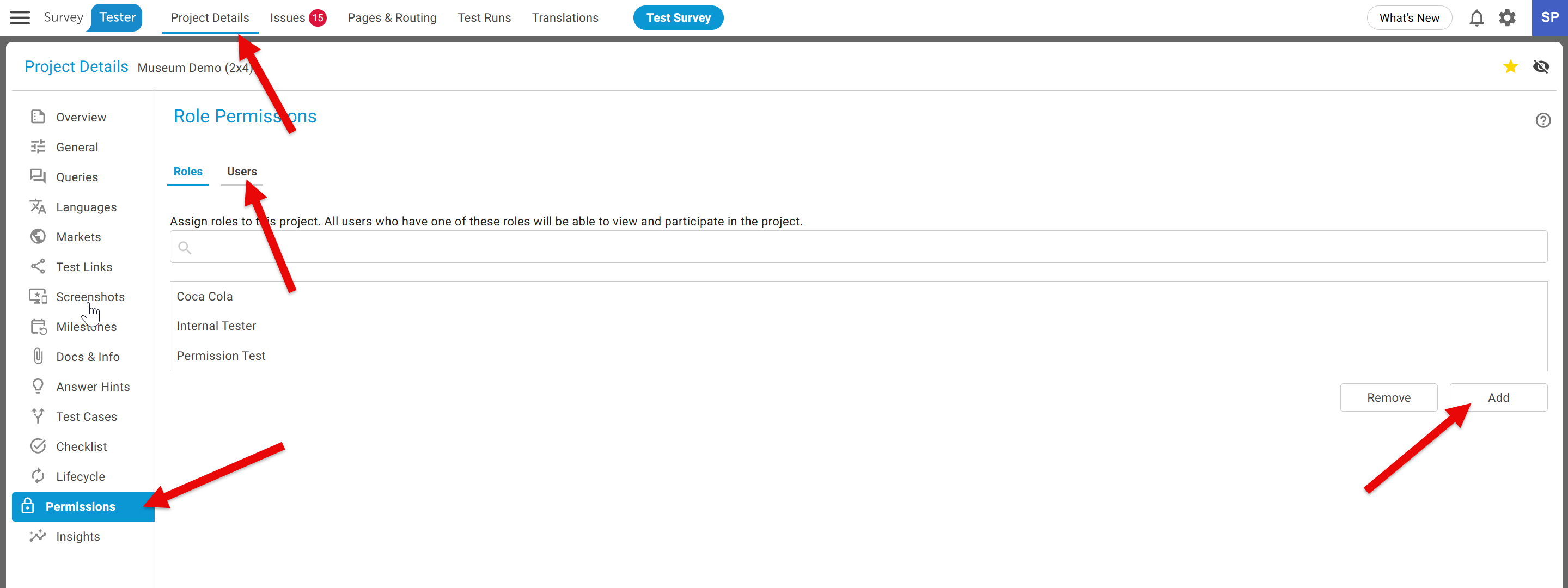
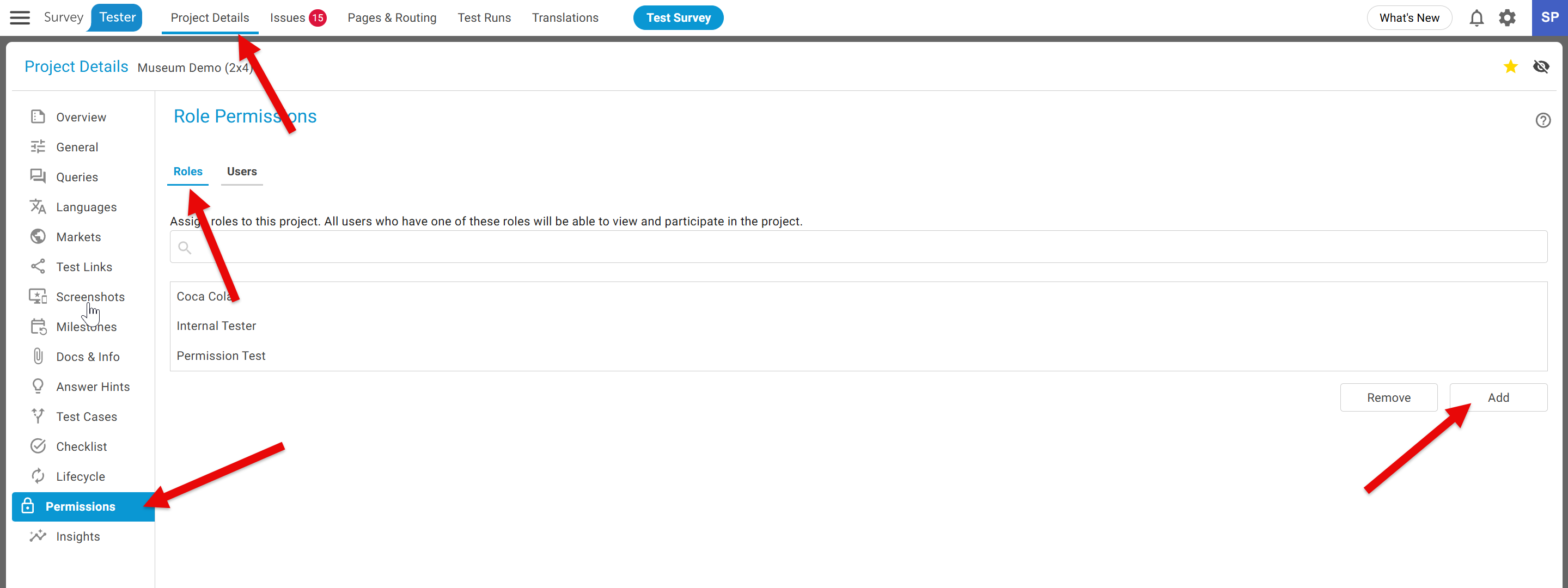
Project Details -> Permission ->
ROLERoles -> ClickADDthe Add button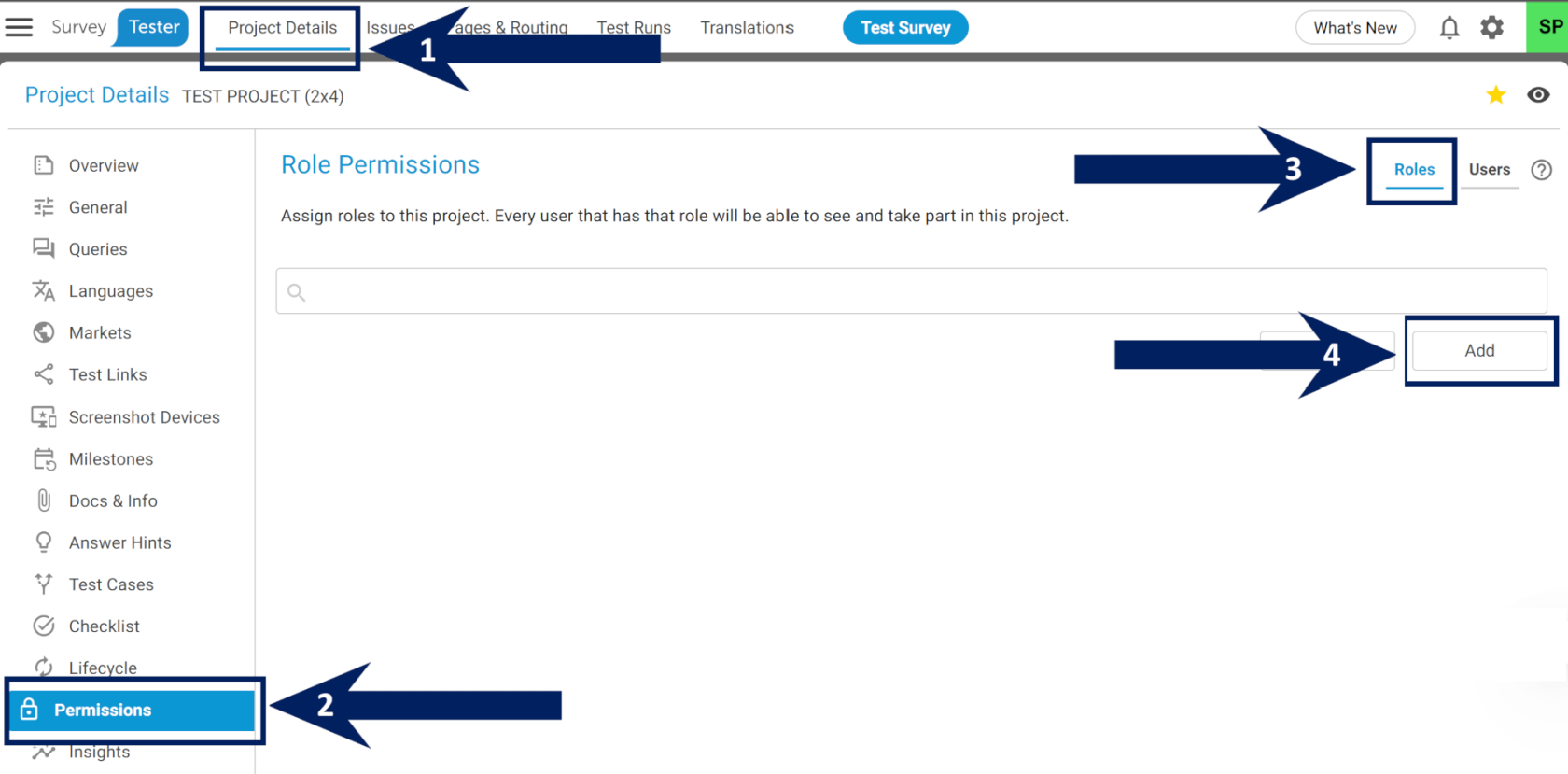
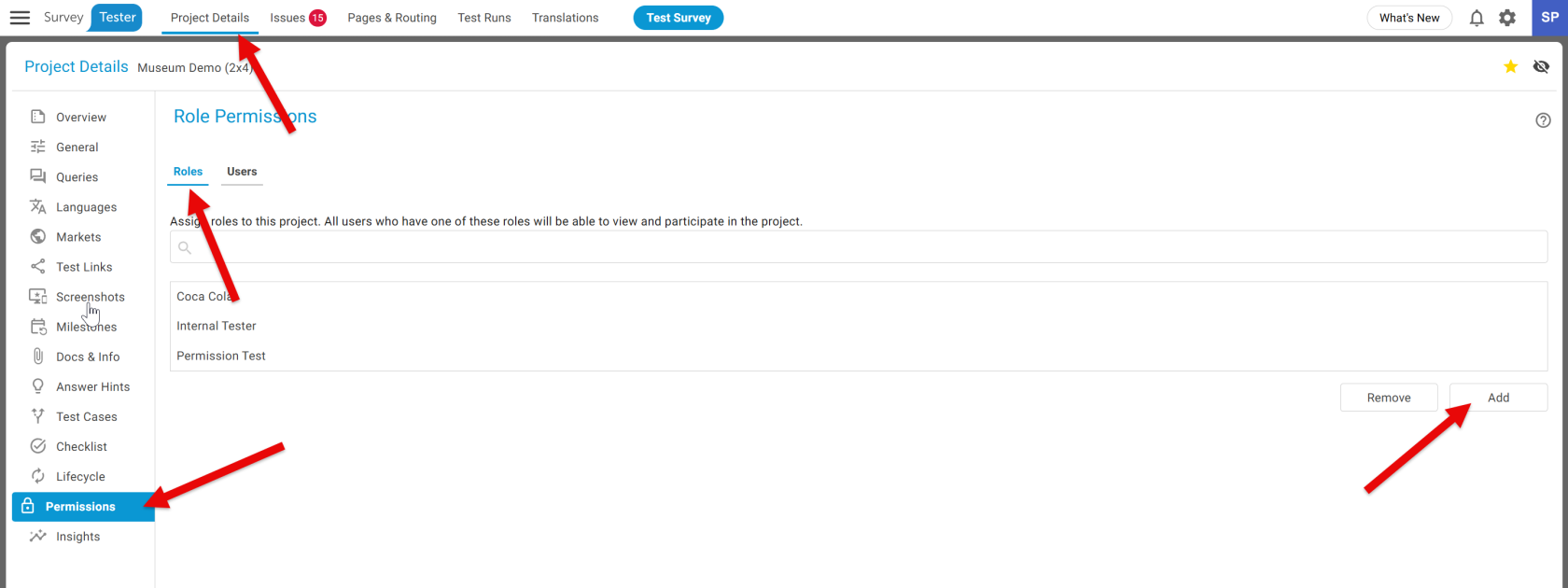
-
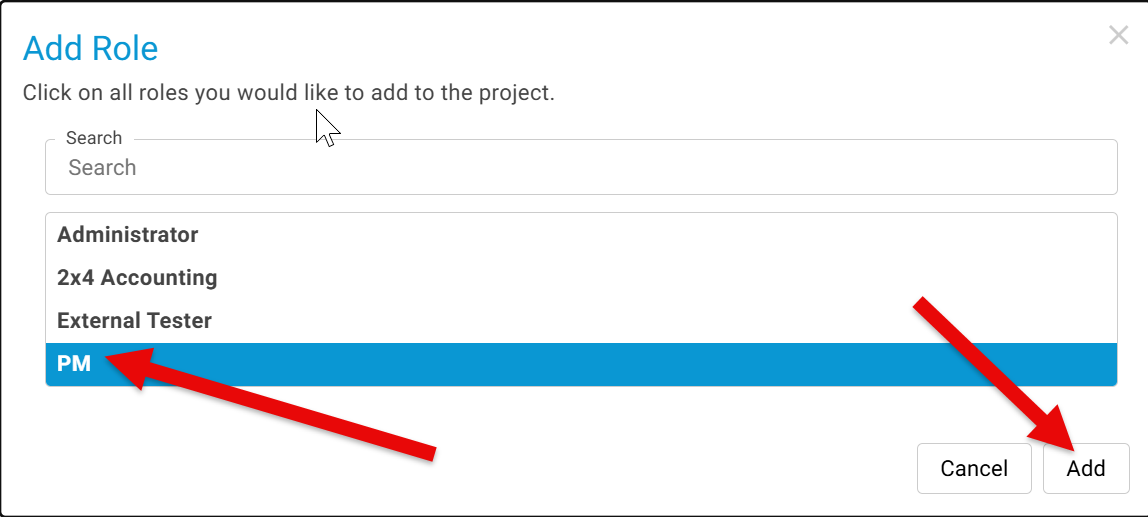
Select Role -> Click
ADDthe Add button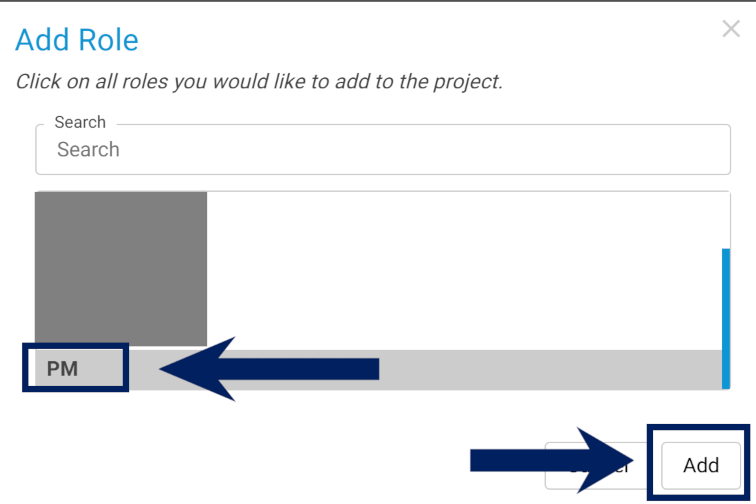
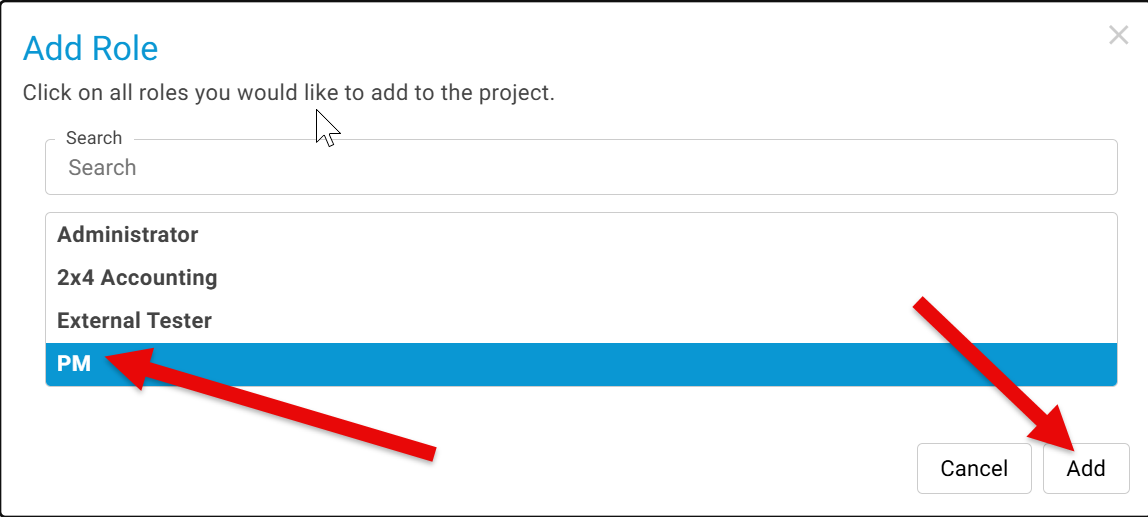
Likewise, to add a USER:
-
Project Details -> Permission ->
USERS-Users-> ClickADDthe Add button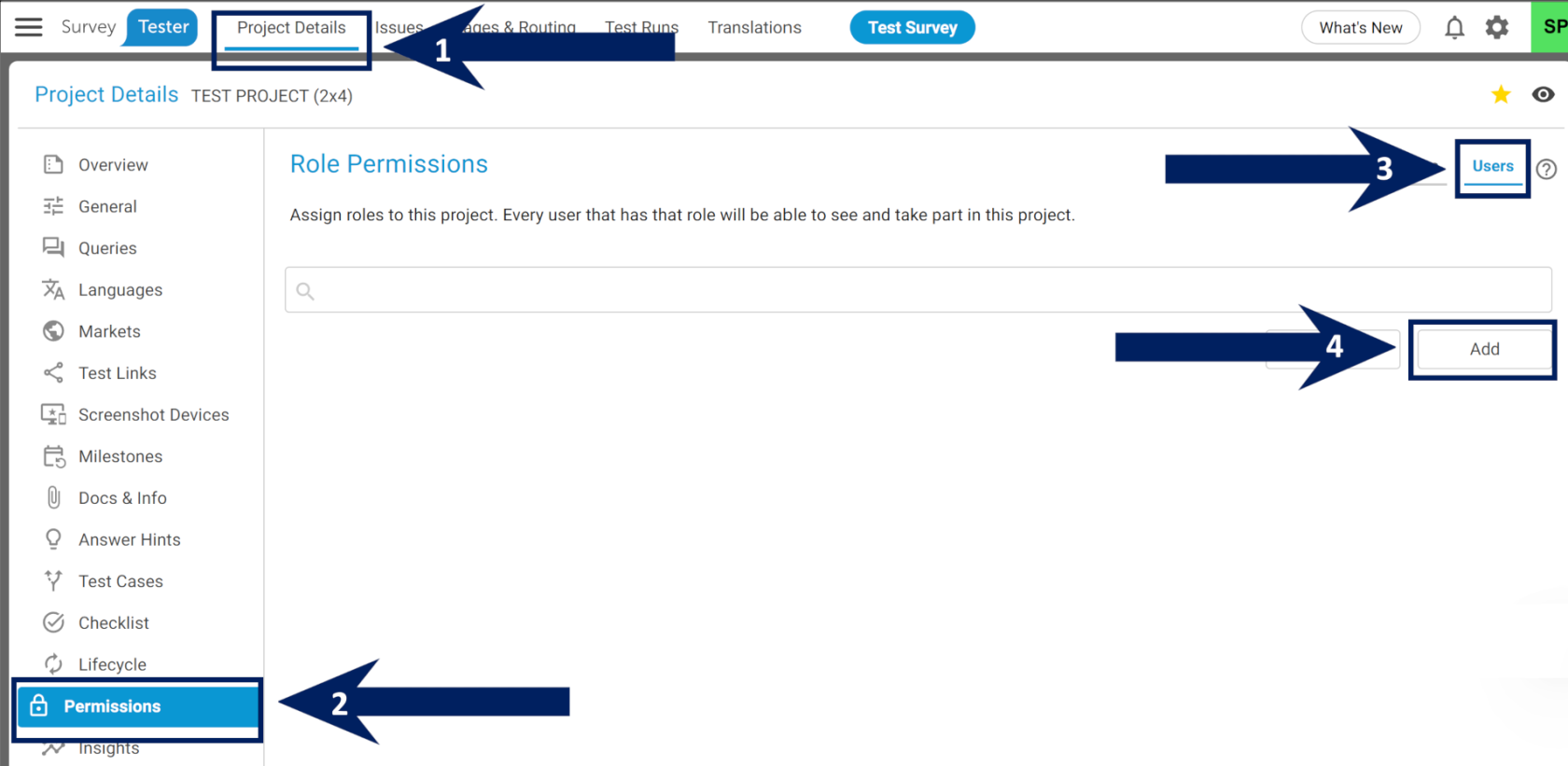
-
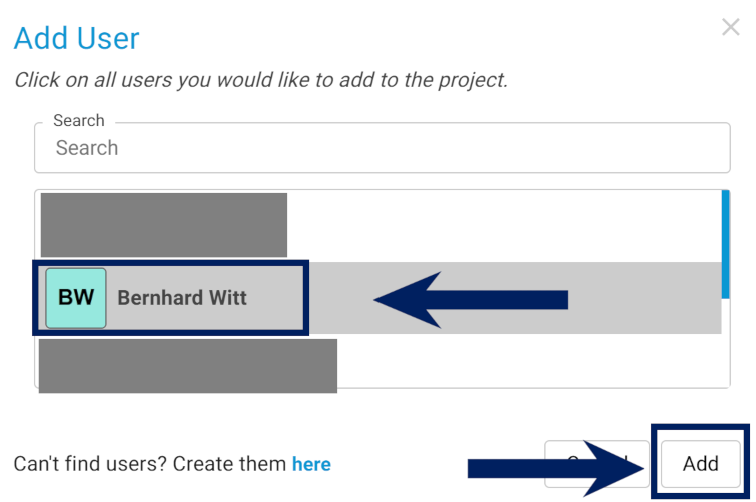
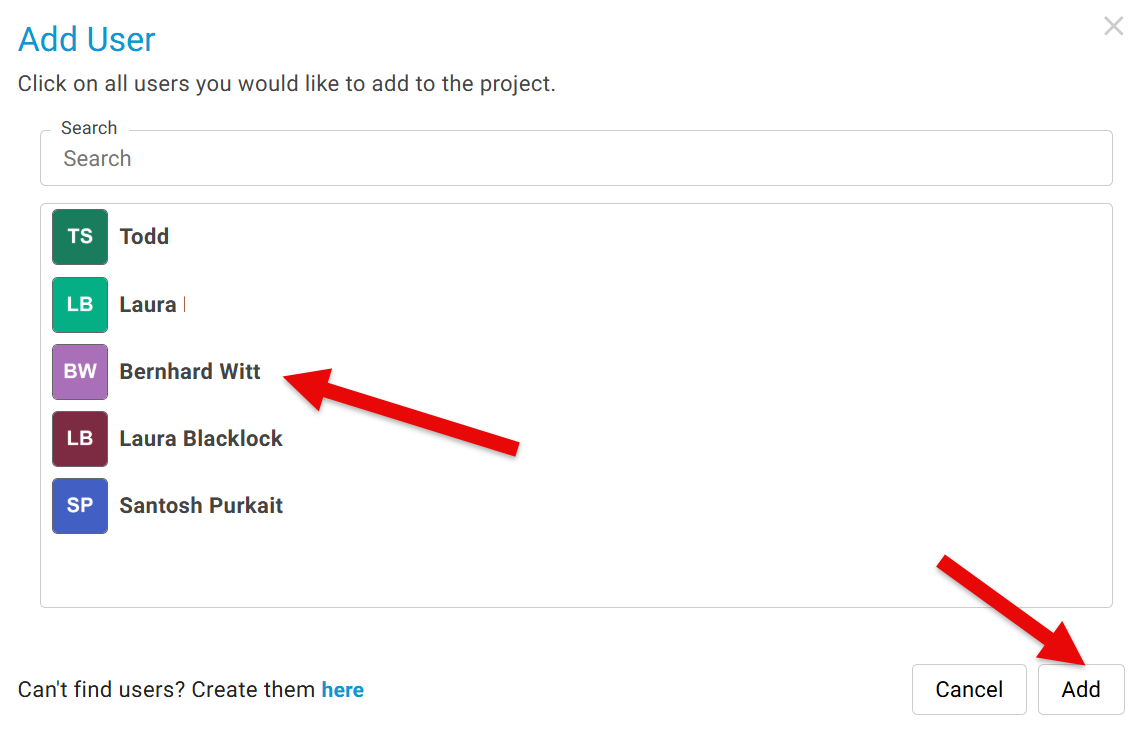
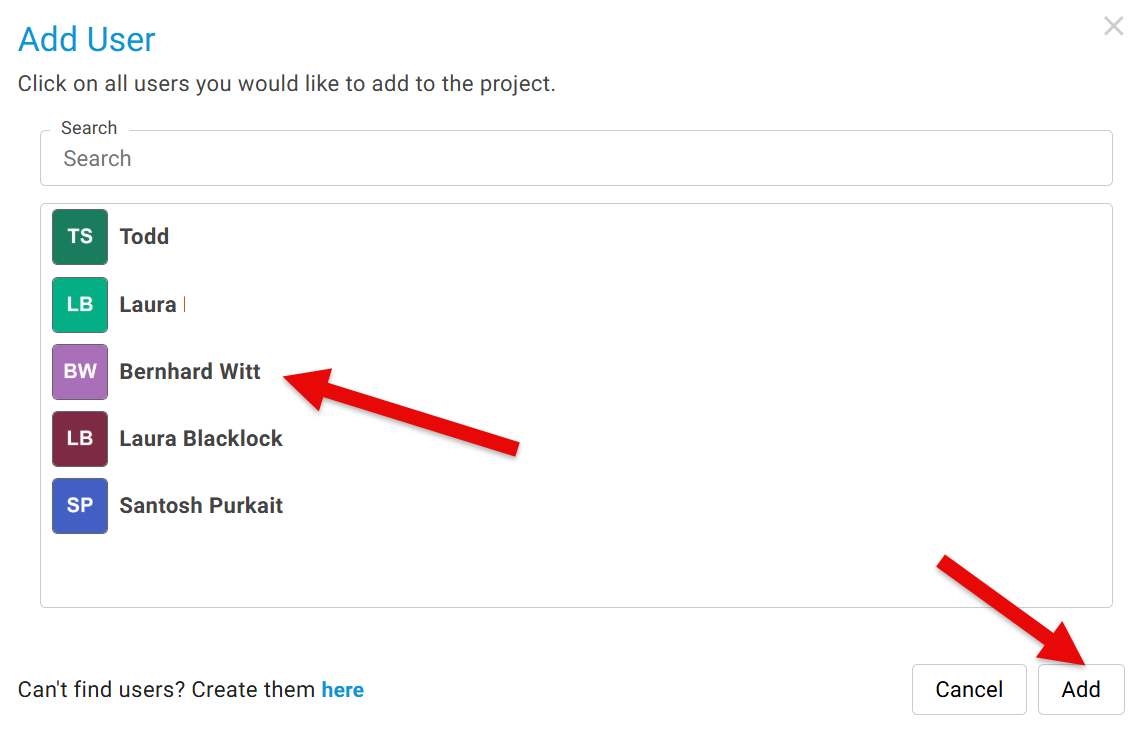
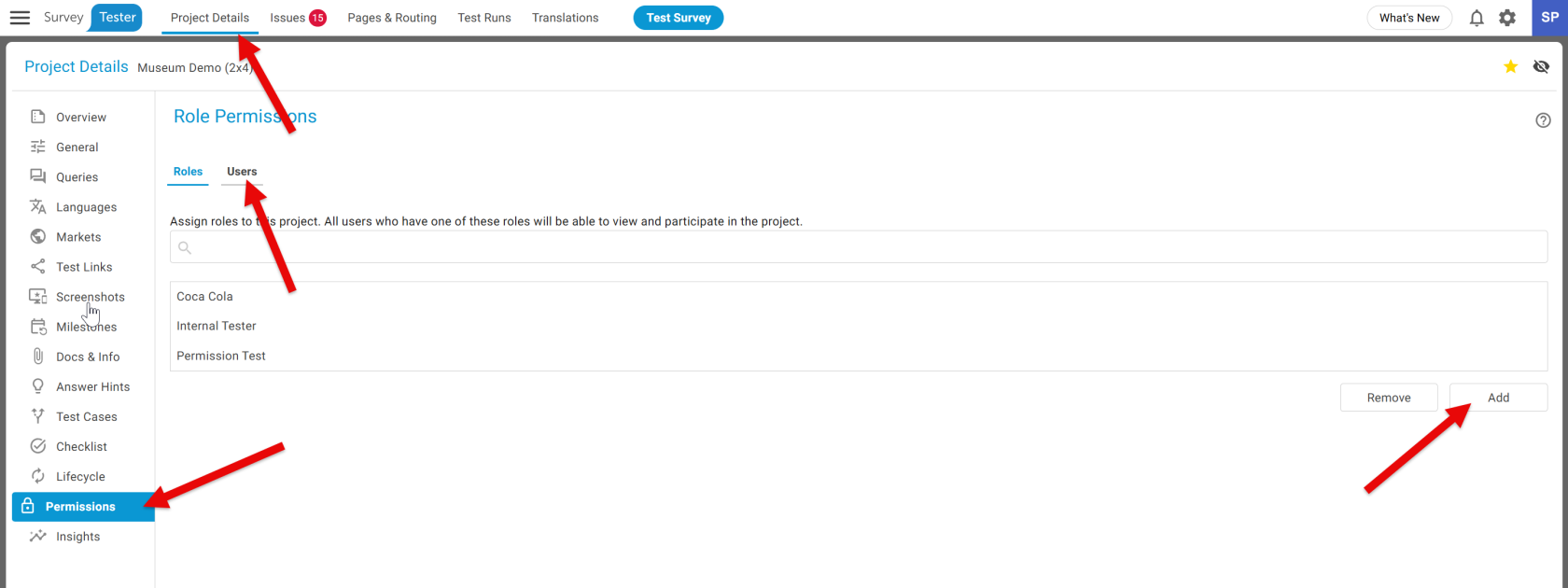
Select the user(s) -> Click
ADDthe Add button